刚刚暴击完美股,国产大模型公司深度求索(DeepSeek)又抛出推出开源多模态大模型——Janus-Pro。
官方宣称,Janus-Pro 7B在多项基准测试中超越OpenAI的Dall-E 3和Stable Diffusion。但实际表现是否真如所言?这是AI创新的新突破,还是又一场资本市场的概念狂欢?让我们一探究竟。
Janus-Pro的技术革新
作为Janus模型的升级版,Janus-Pro实现了多模态理解与生成能力的统一。该系列包含10亿和70亿两种参数规模,展现出视觉编解码方法的可扩展性。其核心突破体现在:
- 双通道视觉编码架构
- 理解分支:采用SigLIP编码器提取图像语义特征,通过理解适配器映射至LLM输入空间
- 生成分支:使用VQ分词器将图像离散化,借助生成适配器与语言模型对接
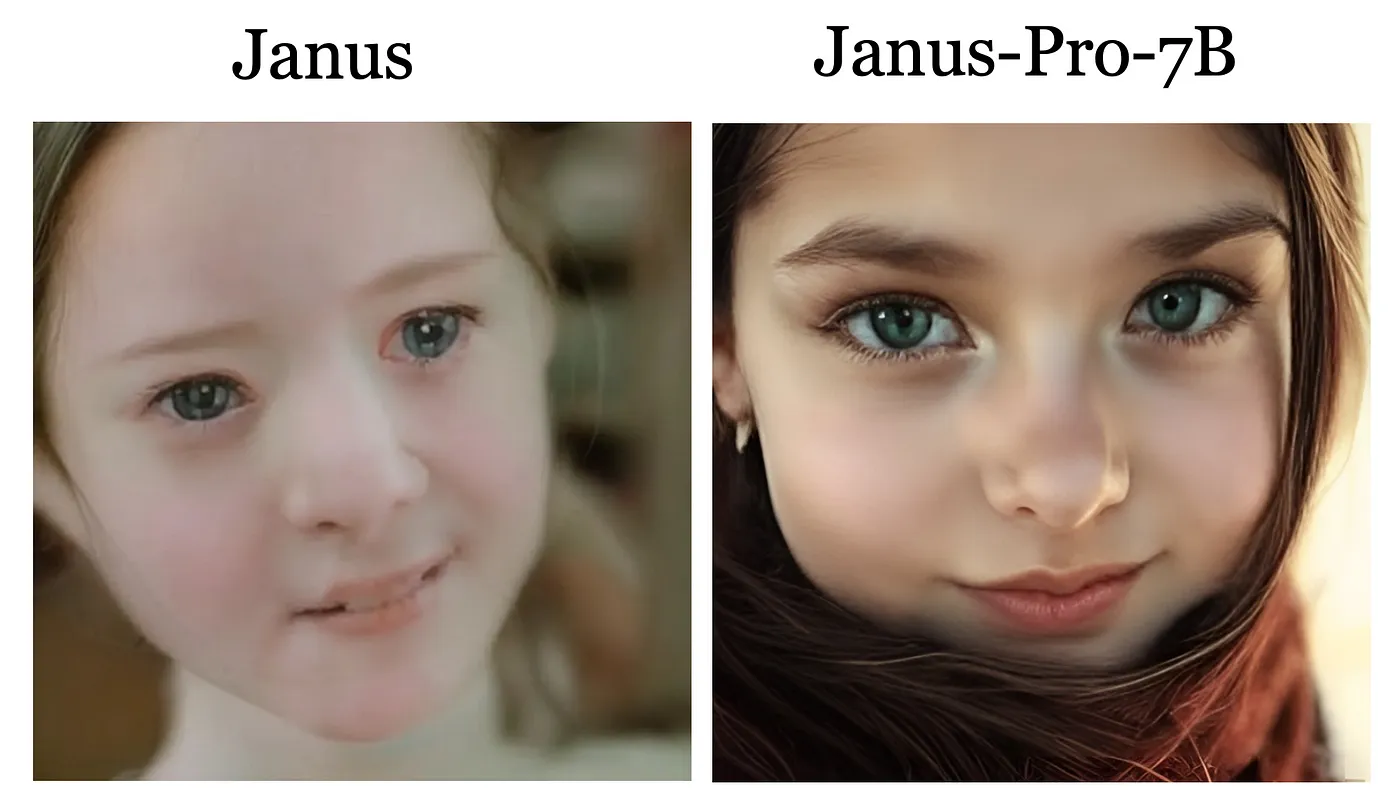
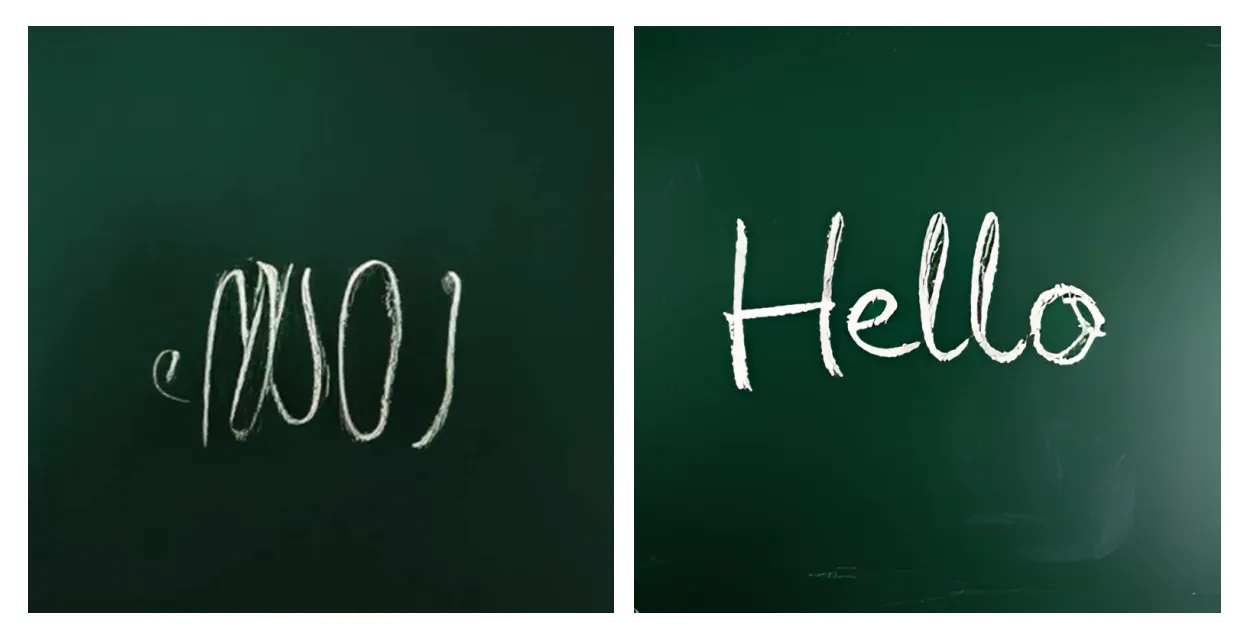
这种解耦式设计有效缓解多任务冲突,在384×384分辨率下实现更稳定的短提示生成。从官方示例可见,新版模型在面部细节、文字渲染等方面均有提升:
示例1:美丽少女的面部特写
(左为Janus基础版,右为Janus-Pro 7B)
示例2:黑板上的"Hello"文字生成
(左为Janus基础版,右为Janus-Pro 7B)
- 性能指标亮眼
在GenEval文本到图像指令跟随评估中,Janus-Pro 7B以0.80分领先Dall-E 3(0.78)和Stable Diffusion 3 Medium(0.75)。DPG-Bench密集指令跟随测试中,84.19的得分同样技压群雄。
实战测评:理想与现实的差距
尽管官方数据亮眼,实际测试却揭示出另一番景象。我们选取三组典型提示进行横向对比:
提示1:绿色原野上的红色羊群
[Janus-Pro生成图 vs Dall-E 3生成图]
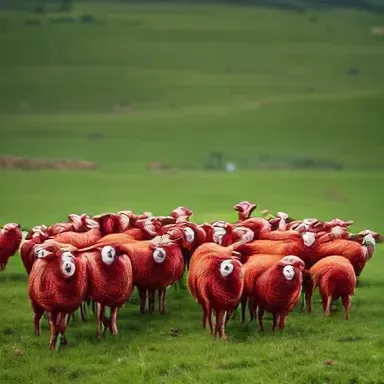
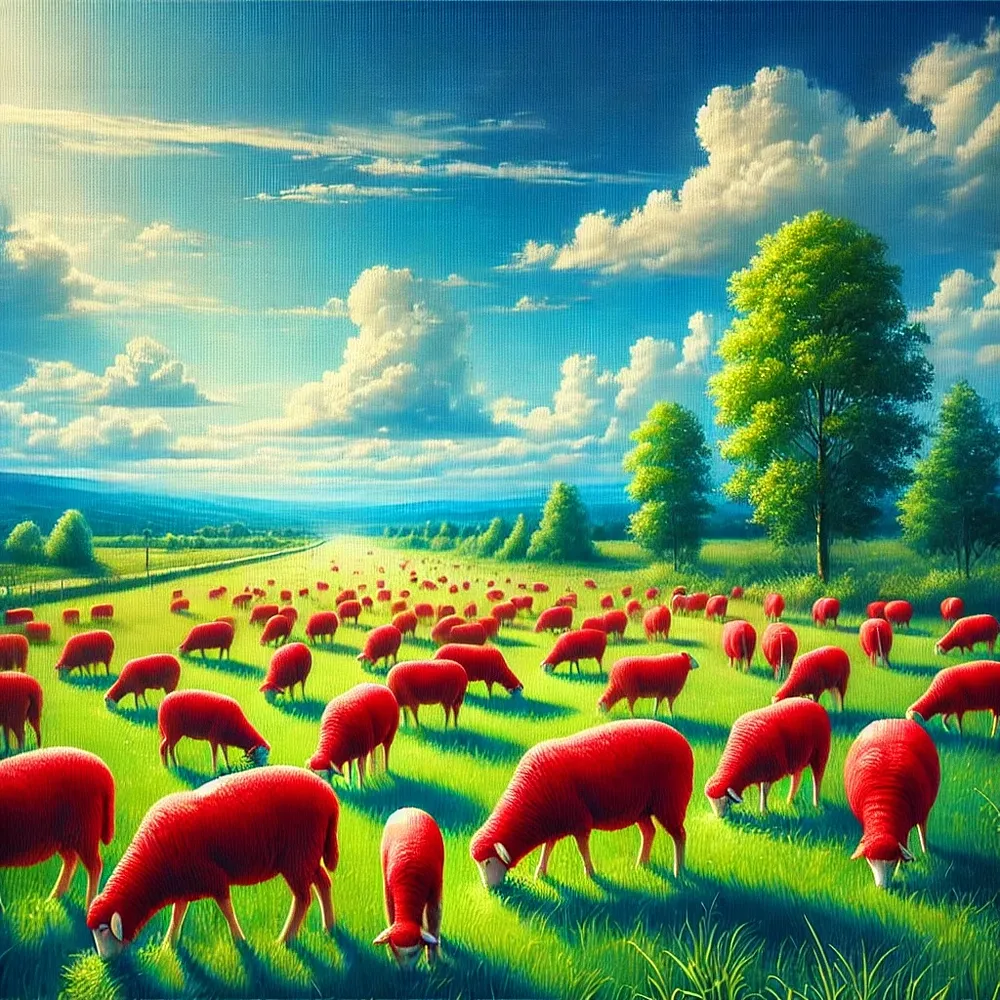
Janus-Pro的羊群呈现明显色块化,而Dall-E 3在光影层次和毛发细节上更胜一筹
提示2:埃菲尔铁塔前的香奈儿风格女性
[Janus-Pro生成图 vs Dall-E 3生成图]
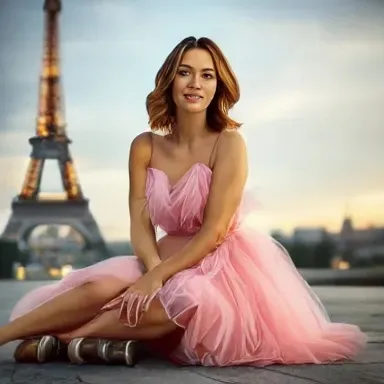
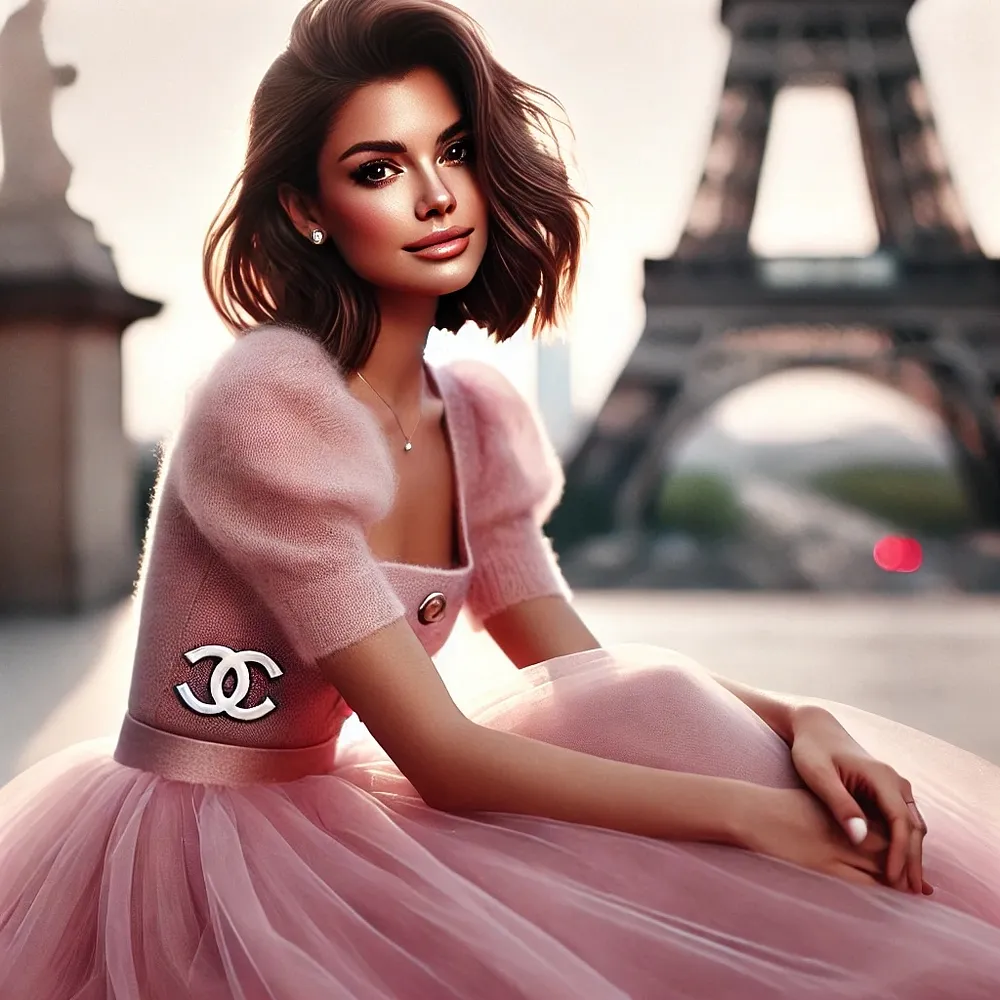
Janus-Pro的人物面部比例失调,服饰质感偏塑料感,Dall-E 3则展现出高级时装的光泽纹理
提示3:手持"AI is awesome!"白板的男孩
[Janus-Pro生成图 vs Dall-E 3生成图]

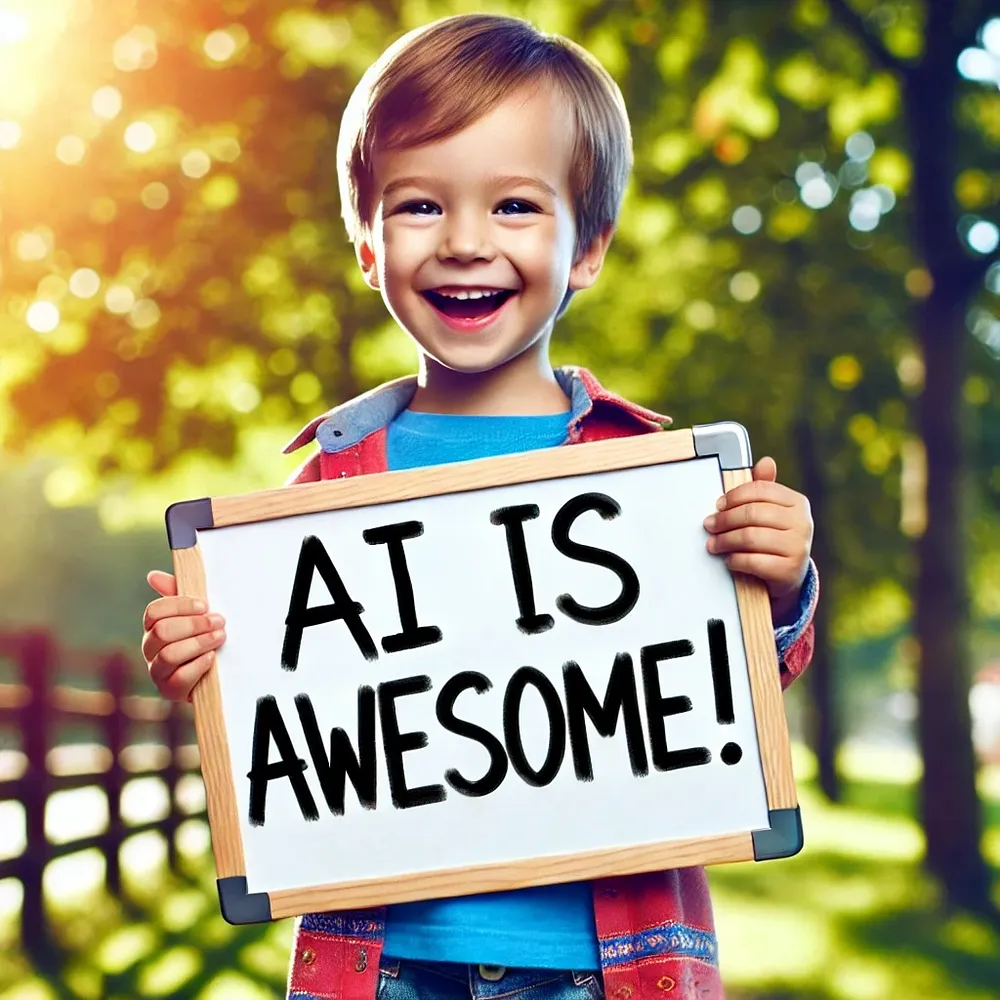
Janus-Pro的文字渲染存在字母粘连,Dall-E 3近乎完美实现提示要求
技术分析:瓶颈何在?
当前版本的Janus-Pro存在两大硬伤:
- 384×384的输入分辨率限制,导致细节呈现先天不足
- 视觉分词器的重建损耗,在复杂场景中产生"伪影"
不过需注意,测评基于默认参数设置。开发者若进行精细调参(如调整CFG权重、温度系数等),或许能解锁更优表现。对于追求极致画质的用户,笔者仍推荐尝试Black Forest Labs的Flux Pro 1.1 Ultra——本文题图正是由其生成。
开发者指南:如何快速上手
对于技术爱好者,DeepSeek已在HuggingFace开源全系模型:
- Janus-1.3B:https://huggingface.co/deepseek-ai/Janus-1.3B
- Janus-Pro-7B:https://huggingface.co/deepseek-ai/Janus-Pro-7B
硬件门槛提示:7B模型需15GB显存。普通用户可直接体验HuggingFace的Gradio演示:
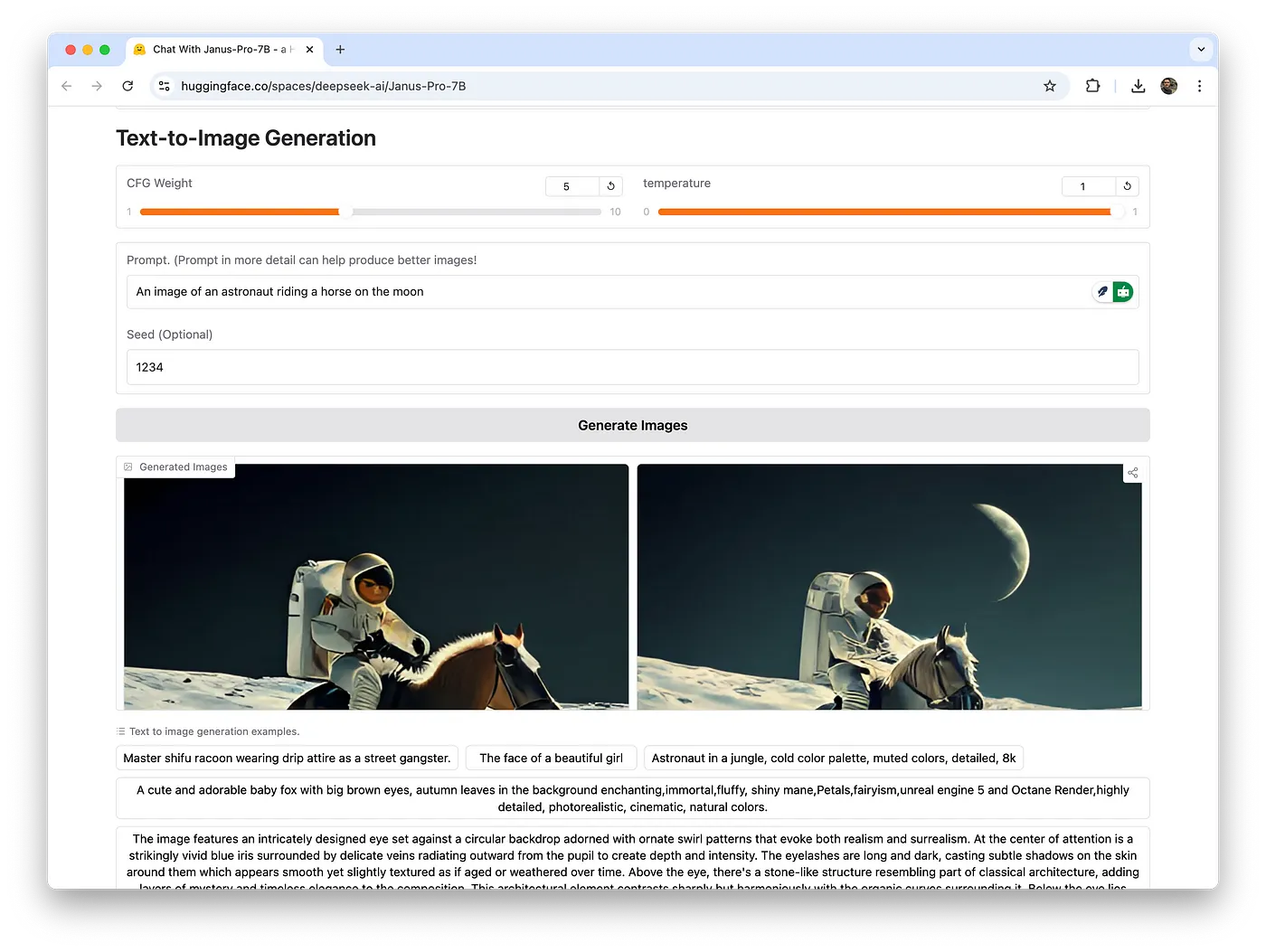
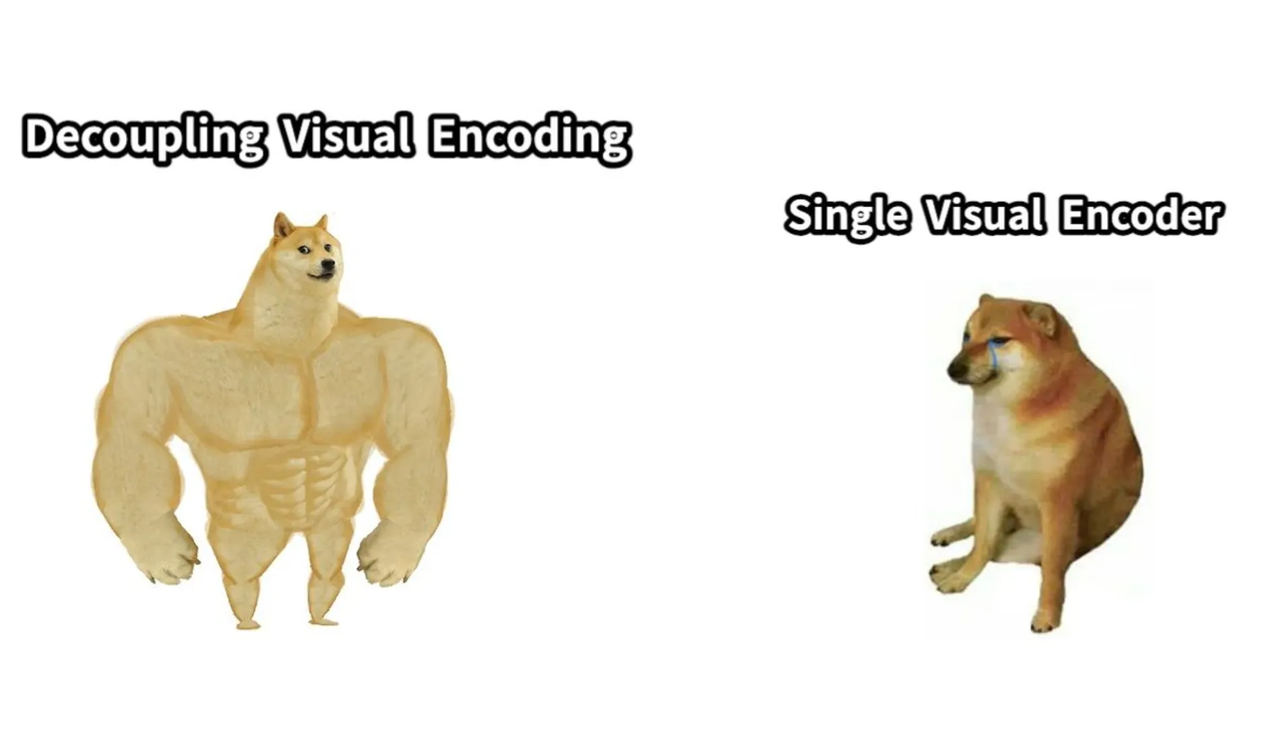
多模态理解功能同样惊艳。上传网络热图"猛男Doge vs弱鸡Cheems",模型准确解读出:
"该表情包幽默对比视觉编码技术演进,健壮Doge代表解耦式深度学习方法,Cheems象征传统单编码器方案......"
import os
import PIL.Image
import torch
import numpy as np
from transformers import AutoModelForCausalLM
from janus.models import MultiModalityCausalLM, VLChatProcessor

# specify the path to the model
model_path = "deepseek-ai/Janus-Pro-7B"
vl_chat_processor: VLChatProcessor = VLChatProcessor.from_pretrained(model_path)
tokenizer = vl_chat_processor.tokenizer

vl_gpt: MultiModalityCausalLM = AutoModelForCausalLM.from_pretrained(
    model_path, trust_remote_code=True
)
vl_gpt = vl_gpt.to(torch.bfloat16).cuda().eval()

conversation = [
    {
        "role": "<|User|>",
        "content": "A stunning princess from kabul in red, white traditional clothing, blue eyes, brown hair",
    },
    {"role": "<|Assistant|>", "content": ""},
]

sft_format = vl_chat_processor.apply_sft_template_for_multi_turn_prompts(
    conversations=conversation,
    sft_format=vl_chat_processor.sft_format,
    system_prompt="",
)
prompt = sft_format + vl_chat_processor.image_start_tag

@torch.inference_mode()
def generate(
    mmgpt: MultiModalityCausalLM,
    vl_chat_processor: VLChatProcessor,
    prompt: str,
    temperature: float = 1,
    parallel_size: int = 16,
    cfg_weight: float = 5,
    image_token_num_per_image: int = 576,
    img_size: int = 384,
    patch_size: int = 16,
):
    input_ids = vl_chat_processor.tokenizer.encode(prompt)
    input_ids = torch.LongTensor(input_ids)

    tokens = torch.zeros((parallel_size*2, len(input_ids)), dtype=torch.int).cuda()
    for i in range(parallel_size*2):
        tokens[i, :] = input_ids
        if i % 2 != 0:
            tokens[i, 1:-1] = vl_chat_processor.pad_id

    inputs_embeds = mmgpt.language_model.get_input_embeddings()(tokens)

    generated_tokens = torch.zeros((parallel_size, image_token_num_per_image), dtype=torch.int).cuda()

    for i in range(image_token_num_per_image):
        outputs = mmgpt.language_model.model(inputs_embeds=inputs_embeds, use_cache=True, past_key_values=outputs.past_key_values if i != 0 else None)
        hidden_states = outputs.last_hidden_state

        logits = mmgpt.gen_head(hidden_states[:, -1, :])
        logit_cond = logits[0::2, :]
        logit_uncond = logits[1::2, :]

        logits = logit_uncond + cfg_weight * (logit_cond-logit_uncond)
        probs = torch.softmax(logits / temperature, dim=-1)

        next_token = torch.multinomial(probs, num_samples=1)
        generated_tokens[:, i] = next_token.squeeze(dim=-1)

        next_token = torch.cat([next_token.unsqueeze(dim=1), next_token.unsqueeze(dim=1)], dim=1).view(-1)
        img_embeds = mmgpt.prepare_gen_img_embeds(next_token)
        inputs_embeds = img_embeds.unsqueeze(dim=1)

    dec = mmgpt.gen_vision_model.decode_code(generated_tokens.to(dtype=torch.int), shape=[parallel_size, 8, img_size//patch_size, img_size//patch_size])
    dec = dec.to(torch.float32).cpu().numpy().transpose(0, 2, 3, 1)

    dec = np.clip((dec + 1) / 2 * 255, 0, 255)

    visual_img = np.zeros((parallel_size, img_size, img_size, 3), dtype=np.uint8)
    visual_img[:, :, :] = dec

    os.makedirs('generated_samples', exist_ok=True)
    for i in range(parallel_size):
        save_path = os.path.join('generated_samples', "img_{}.jpg".format(i))
        PIL.Image.fromarray(visual_img[i]).save(save_path)

generate(
    vl_gpt,
    vl_chat_processor,
    prompt,
)
行业启示:开源势力的进击
尽管当前画质尚存差距,Janus-Pro的象征意义不容小觑:
- 首个实现理解/生成双模态统一架构的开源模型
- 商业友好型许可协议降低创新门槛
- 7B参数规模验证了视觉编解码方案的可扩展性
正如网友戏称:"当OpenAI还在纠结AGI伦理时,中国团队已用开源代码重构AI民主化"。这场由DeepSeek引领的开源革命,正在改写全球AI竞赛的底层逻辑。或许用不了多久,我们就能见证"中国制造"的Dall-E杀手真正诞生。
DeepSeek Releases Its Own AI Image Generator, Janus-Pro
DeepSeek’s R-1 model has been making headlines globally for the past few days. It’s an open-source and affordable alternative to OpenAI’s o1 model. Yet, even before the buzz around R-1 has settled, the Chinese startup has unveiled another open-source AI image model called Janus-Pro.
DeepSeek says Janus-Pro 7B outperforms OpenAI’s Dall-E 3 and Stable Diffusion in several benchmarks. But is it really that good? Does it live up to the claims, or is this just another model riding the AI hype?
What is Janus-Pro?
In simple terms, Janus-Pro is a powerful AI model that can understand images and text and can also create images from text descriptions.
Janus-Pro is an enhanced version of the Janus model, designed for unified multimodal understanding and generation. It has a better training method, more data, and a larger model. It also delivers more stable outputs for short prompts, with improved visual quality, richer details, and the ability to generate simple text.
Take a look at some examples below:
Prompt: The face of a beautiful girl
Image from DeepSeek
The newer model is also more capable at rendering texts.
Prompt: A clear image of a blackboard with a clean, dark green surface and the word ‘Hello’ written precisely and legibly in the center with bold, white chalk letters.
Image from DeepSeek
The Janus-Pro series includes two model sizes: 1 billion and 7 billion, demonstrating scalability of the visual encoding and decoding method. The image resolution generated by both models is 384 × 384.
In terms of commercial licensing, this model is available with a permissive license for both academic and commercial use.
Technical Details of Janus-Pro
Janus-Pro uses separate visual encoding methods for multimodal understanding and visual generation tasks. This design aims to mitigate conflicts between these two tasks and improve overall performance.
Image from DeepSeek
For multimodal understanding, Janus-Pro uses the SigLIP encoder to extract high-dimensional semantic features from images, which are then mapped to the LLM’s input space via an understanding adaptor.
For visual generation, the model uses a VQ tokenizer to convert images into discrete IDs, which are then mapped to the LLM’s input space via a generation adaptor.
Image from DeepSeek
In text-to-image instruction following, Janus-Pro-7B scores 0.80 on the GenEval benchmark, outperforming other models, such as OpenAI’s Dall-E 3 and Stability AI’s Stable Diffusion 3 Medium.
Additionally, Janus-Pro-7B achieves a score of 84.19 on DPG-Bench, surpassing all other methods and demonstrating its ability to follow dense instructions for text-to-image generation.
Is Janus-Pro Better Than Dall-E 3 or Stable Diffusion?
According to the internal benchmarks from DeepSeek, both Dall-E 3 and Stable Diffusion models have scored less on GenEval and DPG-Bench benchmarks.
But I take this information with a grain of salt because of how the sample images look. The best way to prove it is to do my own tests. Let’s take a look at some examples below:
Prompt: A photo of a herd of red sheep on a green field.
Left image (Janus-Pro), Right image (Dall-E 3)
Prompt: A beautiful 35 year old woman of average build wearing a pink tulle dress sits on the ground in front of the Eiffel Tower. Soft light illuminates her face as she poses for a photo with Paris in the background in Chanel style. Her shoulder length brown hair is styled in loose waves that fall to one side.
Left image (Janus-Pro), Right image (Dall-E 3)
Prompt: An image of a little boy holding a white board with the text “AI is awesome!”
Left image (Janus-Pro), Right image (Dall-E 3)
Based on the examples above, Dall-E 3 clearly performs better than Janus Pro. The faces and body proportions in Janus Pro’s outputs are noticeably off, and the text rendering examples suggest it struggles in that area as well.
That said, it’s possible I’m missing something—there might be specific parameters or fine-tuning required to improve the results. However, with the default settings, the outputs feel underwhelming.
By the way, if you’re simply looking for the best AI image generator, I highly recommend using Flux Pro 1.1 Ultra in Flux Labs AI. It’s the same tool I used in the cover image of this article.
Image by Jim Clyde Monge
The Flux image model from Black Forest Labs is hands down the best out there. It’s open-weight, so you can finetune it with your own custom images.
How To Access Janus-Pro?
DeepSeek released Janus to the public on HuggingFace to support a broader and more diverse range of research within both academic and commercial communities.
- Janus-1.3B: Hugging Face link
- JanusFlow-1.3B: Hugging Face link
- Janus-Pro-1B: Hugging Face link
- Janus-Pro-7B: Hugging Face link
Note that the Janus-Pro with 7 billion parameters model can eat up almost 15 gigabytes of your internal memory.
Image by Jim Clyde Monge
If you don’t want to run the model on your own hardware, you can simply run the Gradio demo on HuggingFace.
Image by Jim Clyde Monge
It’s pretty easy to use. Simply describe the image you’d like to generate and click on the “Generate image” button. The speed of generation depends on the number of users concurrently using the app.
You can also try the multimodal understanding feature by uploading an image and asking the AI to explain it. Here’s an example:
Prompt: Explain this meme
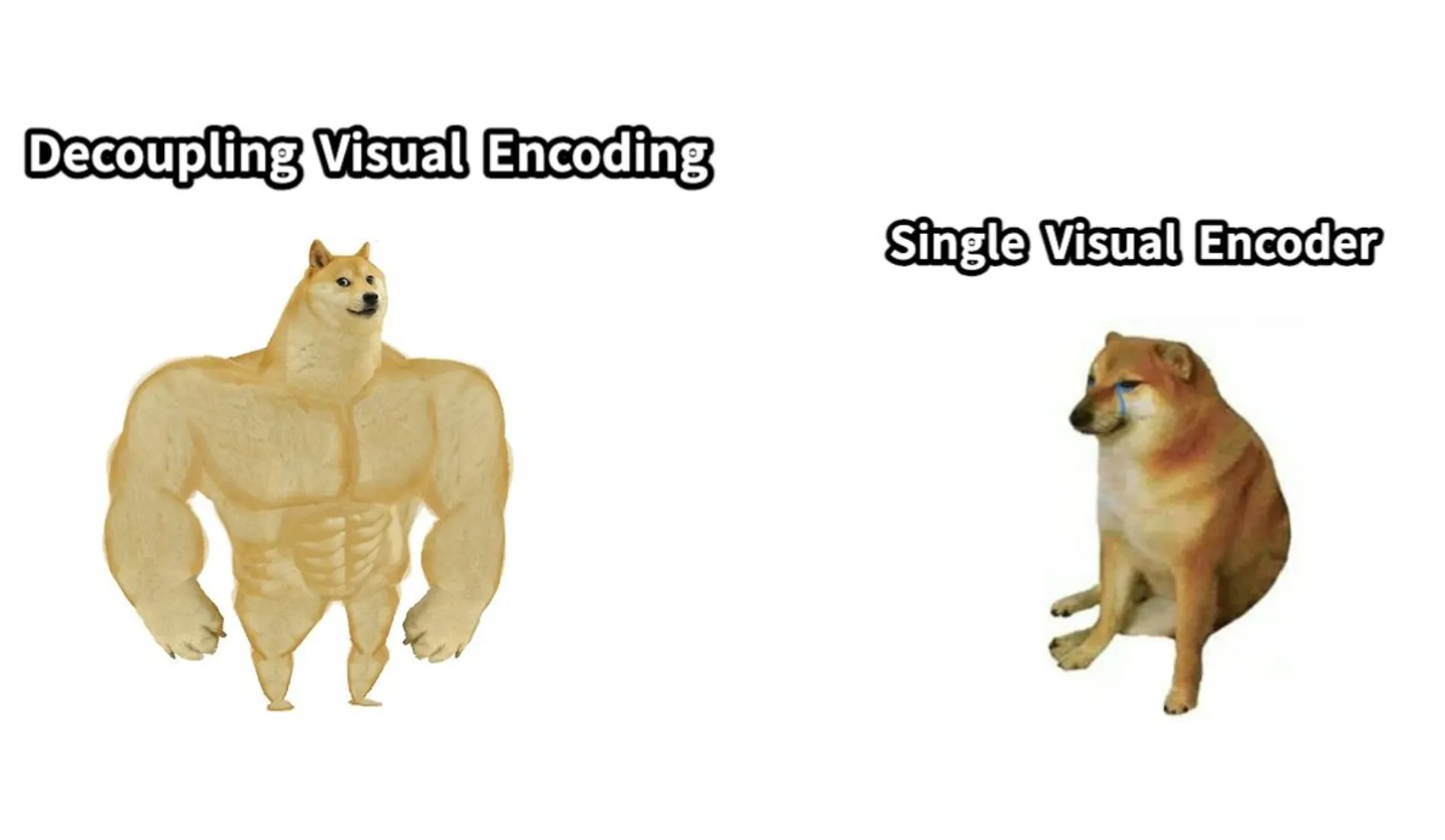
Image from DeepSeek HuggingFace App
This image is a humorous comparison between two types of visual encoding methods, using the popular "buff Doge vs. Cheems" meme format.

1. **Decoupling Visual Encoding (Buff Doge)**:
   - The left side of the image shows a muscular, buff Doge, representing a strong and robust method of visual encoding. This could symbolize a more powerful or efficient approach to encoding visual information, such as deep learning models or advanced neural networks that can handle complex visual tasks.

2. **Single Visual Encoder (Cheems)**:
   - The right side of the image shows a smaller, less muscular Doge sitting down, representing a simpler or less powerful method of visual encoding. This could symbolize a traditional or less advanced approach, such as a single neural network or a basic encoding method that may not perform as well as more complex systems.

### Overall Meaning:
The meme humorously contrasts the strength and efficiency of two different methods of visual encoding. The buff Doge represents a more advanced, powerful, and robust method, while the Cheems represents a simpler, less powerful one. This could be interpreted as a commentary on the evolution of visual encoding techniques, with deep learning and neural networks being seen as more advanced and effective compared to traditional methods.
-
Decoupling Visual Encoding (Buff Doge):
- The left side of the image shows a muscular, buff Doge, representing a strong and robust method of visual encoding. This could symbolize a more powerful or efficient approach to encoding visual information, such as deep learning models or advanced neural networks that can handle complex visual tasks.
-
Single Visual Encoder (Cheems):
- The right side of the image shows a smaller, less muscular Doge sitting down, representing a simpler or less powerful method of visual encoding. This could symbolize a traditional or less advanced approach, such as a single neural network or a basic encoding method that may not perform as well as more complex systems.
Overall Meaning:
The meme humorously contrasts the strength and efficiency of two different methods of visual encoding. The buff Doge represents a more advanced, powerful, and robust method, while the Cheems represents a simpler, less powerful one. This could be interpreted as a commentary on the evolution of visual encoding techniques, with deep learning and neural networks being seen as more advanced and effective compared to traditional methods.
It's accurate, and I see it as a great tool for autocaptioning or adding alt texts to photos.
For the developers out there, you can download the model and run it on your local disk. Here’s an example inference code snippet to generate an image from text:
import os
import PIL.Image
import torch
import numpy as np
from transformers import AutoModelForCausalLM
from janus.models import MultiModalityCausalLM, VLChatProcessor

# specify the path to the model
model_path = "deepseek-ai/Janus-Pro-7B"
vl_chat_processor: VLChatProcessor = VLChatProcessor.from_pretrained(model_path)
tokenizer = vl_chat_processor.tokenizer

vl_gpt: MultiModalityCausalLM = AutoModelForCausalLM.from_pretrained(
    model_path, trust_remote_code=True
)
vl_gpt = vl_gpt.to(torch.bfloat16).cuda().eval()

conversation = [
    {
        "role": "<|User|>",
        "content": "A stunning princess from kabul in red, white traditional clothing, blue eyes, brown hair",
    },
    {"role": "<|Assistant|>", "content": ""},
]

sft_format = vl_chat_processor.apply_sft_template_for_multi_turn_prompts(
    conversations=conversation,
    sft_format=vl_chat_processor.sft_format,
    system_prompt="",
)
prompt = sft_format + vl_chat_processor.image_start_tag

@torch.inference_mode()
def generate(
    mmgpt: MultiModalityCausalLM,
    vl_chat_processor: VLChatProcessor,
    prompt: str,
    temperature: float = 1,
    parallel_size: int = 16,
    cfg_weight: float = 5,
    image_token_num_per_image: int = 576,
    img_size: int = 384,
    patch_size: int = 16,
):
    input_ids = vl_chat_processor.tokenizer.encode(prompt)
    input_ids = torch.LongTensor(input_ids)

    tokens = torch.zeros((parallel_size*2, len(input_ids)), dtype=torch.int).cuda()
    for i in range(parallel_size*2):
        tokens[i, :] = input_ids
        if i % 2 != 0:
            tokens[i, 1:-1] = vl_chat_processor.pad_id

    inputs_embeds = mmgpt.language_model.get_input_embeddings()(tokens)

    generated_tokens = torch.zeros((parallel_size, image_token_num_per_image), dtype=torch.int).cuda()

    for i in range(image_token_num_per_image):
        outputs = mmgpt.language_model.model(inputs_embeds=inputs_embeds, use_cache=True, past_key_values=outputs.past_key_values if i != 0 else None)
        hidden_states = outputs.last_hidden_state

        logits = mmgpt.gen_head(hidden_states[:, -1, :])
        logit_cond = logits[0::2, :]
        logit_uncond = logits[1::2, :]

        logits = logit_uncond + cfg_weight * (logit_cond-logit_uncond)
        probs = torch.softmax(logits / temperature, dim=-1)

        next_token = torch.multinomial(probs, num_samples=1)
        generated_tokens[:, i] = next_token.squeeze(dim=-1)

        next_token = torch.cat([next_token.unsqueeze(dim=1), next_token.unsqueeze(dim=1)], dim=1).view(-1)
        img_embeds = mmgpt.prepare_gen_img_embeds(next_token)
        inputs_embeds = img_embeds.unsqueeze(dim=1)

    dec = mmgpt.gen_vision_model.decode_code(generated_tokens.to(dtype=torch.int), shape=[parallel_size, 8, img_size//patch_size, img_size//patch_size])
    dec = dec.to(torch.float32).cpu().numpy().transpose(0, 2, 3, 1)

    dec = np.clip((dec + 1) / 2 * 255, 0, 255)

    visual_img = np.zeros((parallel_size, img_size, img_size, 3), dtype=np.uint8)
    visual_img[:, :, :] = dec

    os.makedirs('generated_samples', exist_ok=True)
    for i in range(parallel_size):
        save_path = os.path.join('generated_samples', "img_{}.jpg".format(i))
        PIL.Image.fromarray(visual_img[i]).save(save_path)

generate(
    vl_gpt,
    vl_chat_processor,
    prompt,
)
Final Thoughts
I understand the hype around this new image model. People claim that it’s a good alternative to Dall-E 3, but I don’t agree with it. I’ve tried Janus-Pro myself, but the quality of the images isn’t as impressive as I thought.
One key limitation is the restricted input resolution of 384 × 384. Additionally, the relatively low resolution for text-to-image generation, combined with reconstruction losses from the vision tokenizer, can result in images that lack the level of detail many users might expect.
That said, the rapid emergence of open-source models like Janus-Pro signals that DeepSeek is already positioning itself as a formidable disruptor in the AI race. Despite the current quality limitations, their push for accessible, open innovation is no doubt leaving industry leaders scrambling to adapt.