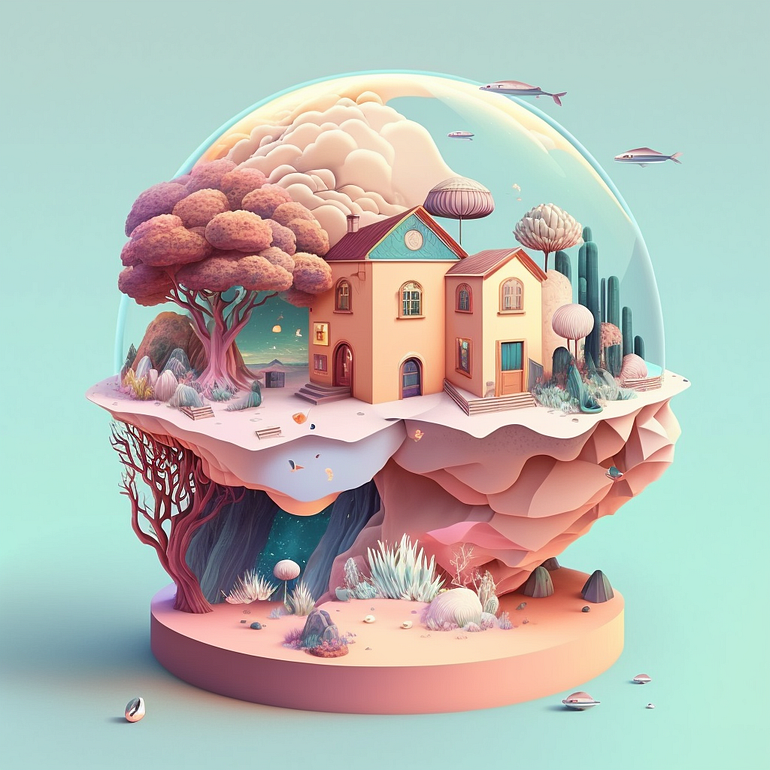
使用MidJourney生成的图像
Midjourney是一款强大而革命性的AI艺术生成工具,使用它可以帮助你释放你的创造力,并生成漂亮的视觉效果。
Midjourney采用了用户友好的界面设计,省去了大量手动设计的时间。
以下是一个快速指南,以帮助你快速上手。请一定要仔细阅读到最后,以获取额外的提示。
加入 Discord 的 MidJourney 服务器
MidJourney 官网:https://www.midjourney.com/
Midjourney与其他人工智能解决方案不同,它允许你通过Discord(一种聊天论坛风格的应用程序)访问软件。 你可以直接从公司网站注册,但需要下载和使用Discord才能使用该软件。
创建 Discord 帐户
可以在 Discord 官网注册页面 https://discord.com/register ,或在应用中创建 Discord 帐户。

邮箱验证
我们能够享受 Discord 提供的所有聊天功能,但非常重要的是通过验证我们的电子邮件地址来认证我们的账号。这将确保我们保留我们的用户名和判别码(用户名旁边的四位数字),并记住我们加入的所有服务器!
为了领取我们的账号,只需检查我们用来创建账号的电子邮件。如果没有看到任何邮件,只需点击应用顶部橙色横幅上的“重新发送”按钮:

我们需要在收到的电子邮件中点击“验证电子邮件”按钮,这样就完成了!

验证电话号码(可选)
此外,我们还可以将手机号码验证到我们的Discord账号!
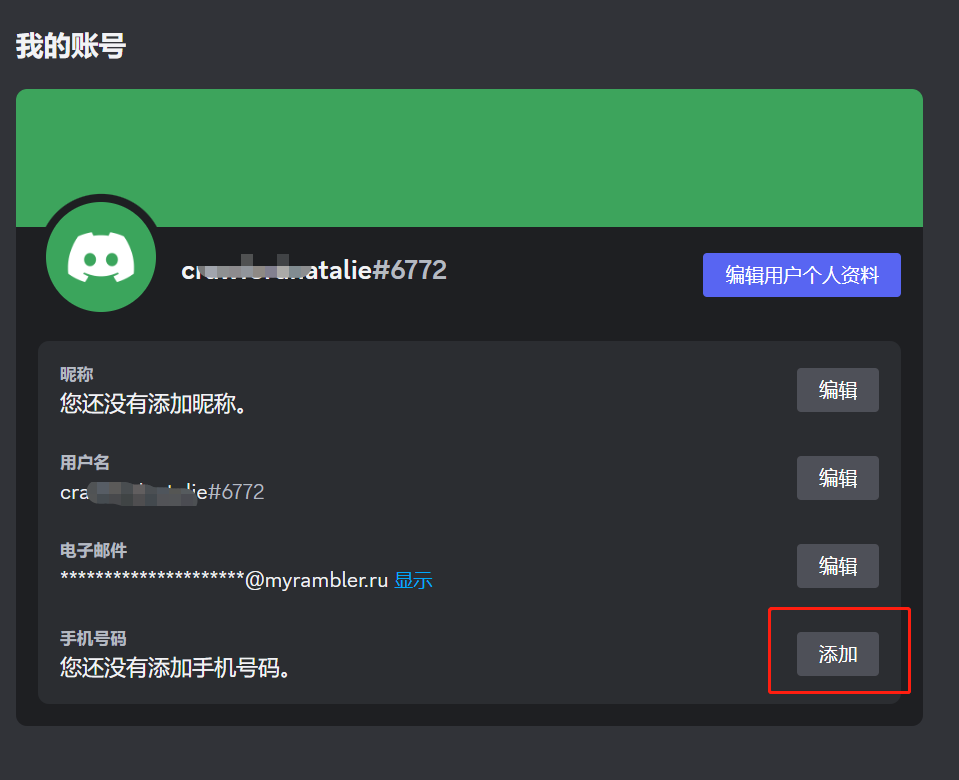
为了开始手机验证过程,我们可以进入“用户设置”中的“我的账号”选项卡。然后,在“手机号码”部分的旁边点击“添加”按钮!
点击后,我们可以直接输入我们的手机号码,并在输入完号码后点击“发送”!(请确保选择正确的国家代码!)
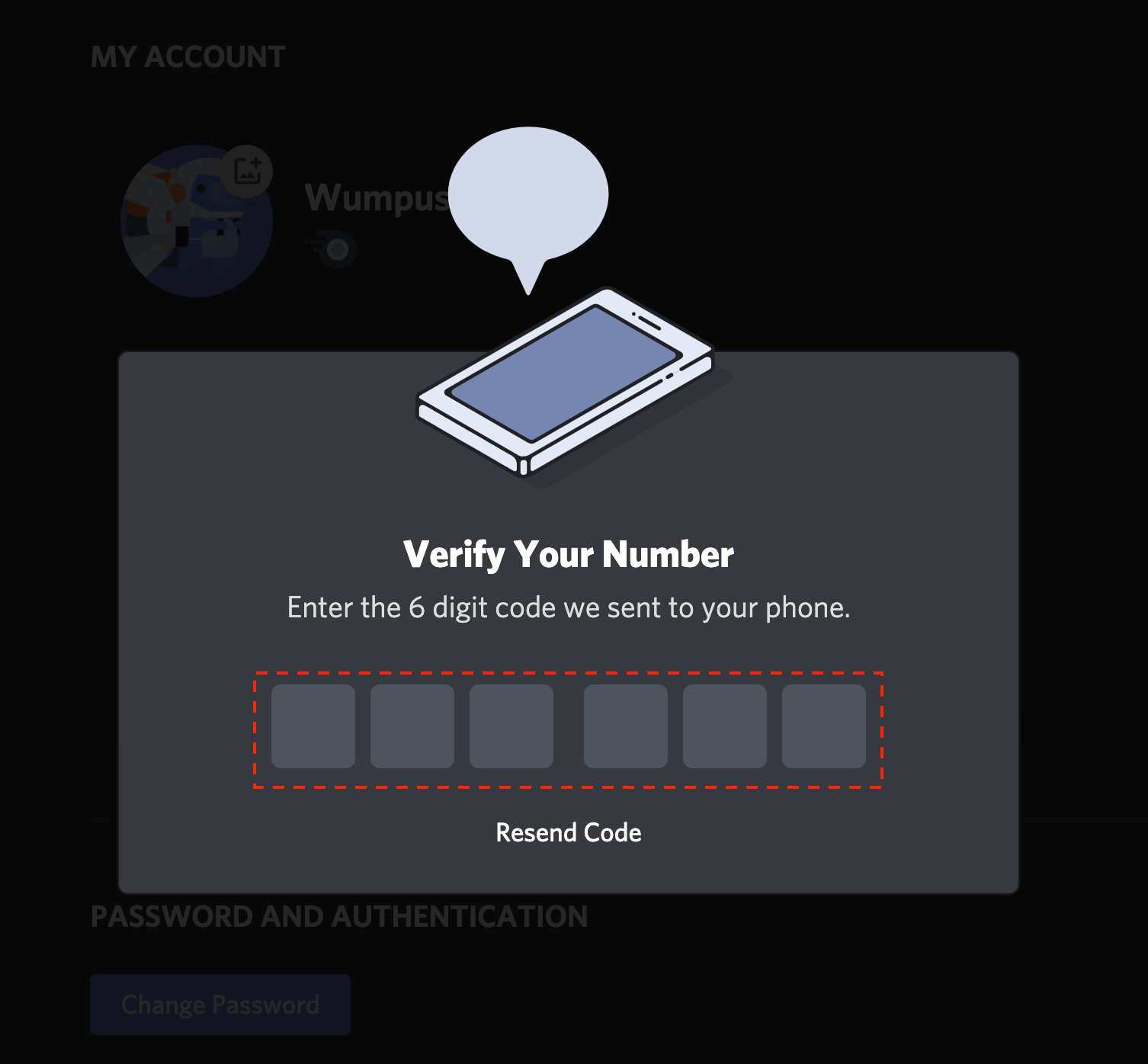
我们随后会收到一条包含六位数字验证码的短信!当收到验证码时,我们只需在菜单中输入这六位数字!

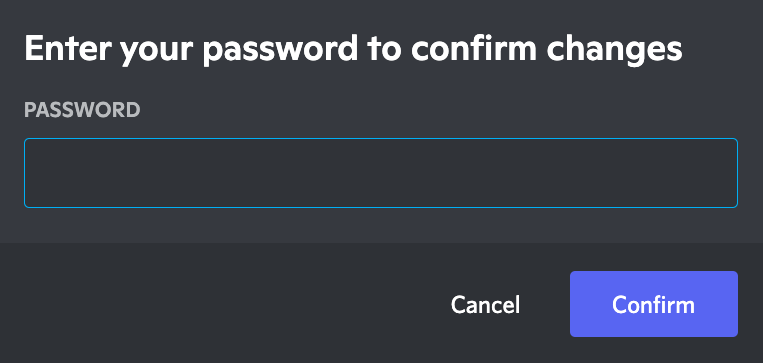
最后,为了确认我们的更改,我们需要输入账号密码,然后点击“确认”按钮。
这样,我们的手机号码就会正式验证到我们的Discord账号上!
邀请进入 Midjourney 服务器
注册完毕之后,访问 Midjourney.com 并加入Beta测试,或者直接跳转到 Midjourney的 Discord 服务器邀请链接 https://discord.com/invite/midjourney。
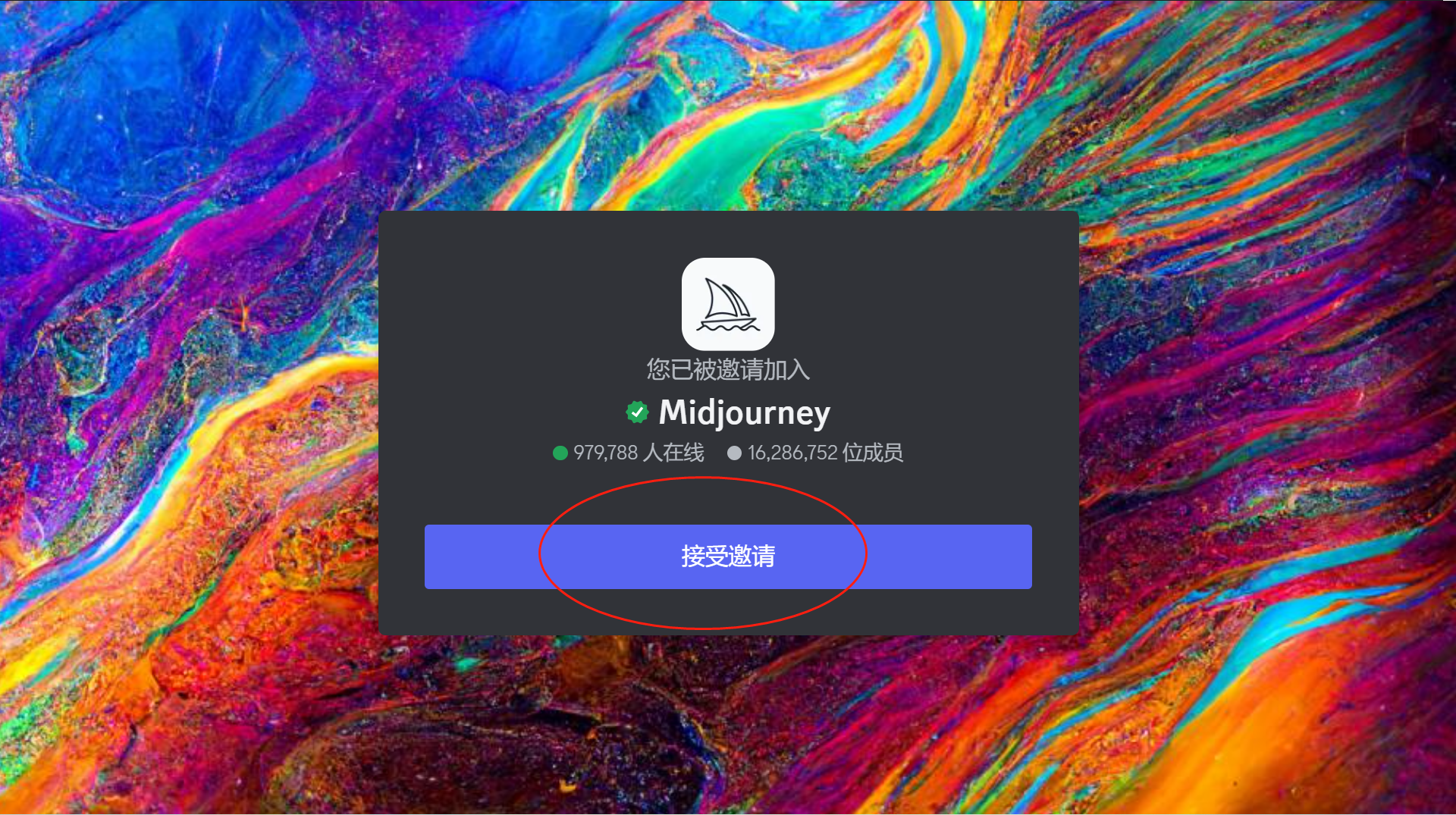
接受邀请之后就可进入 Midjourney 服务器。
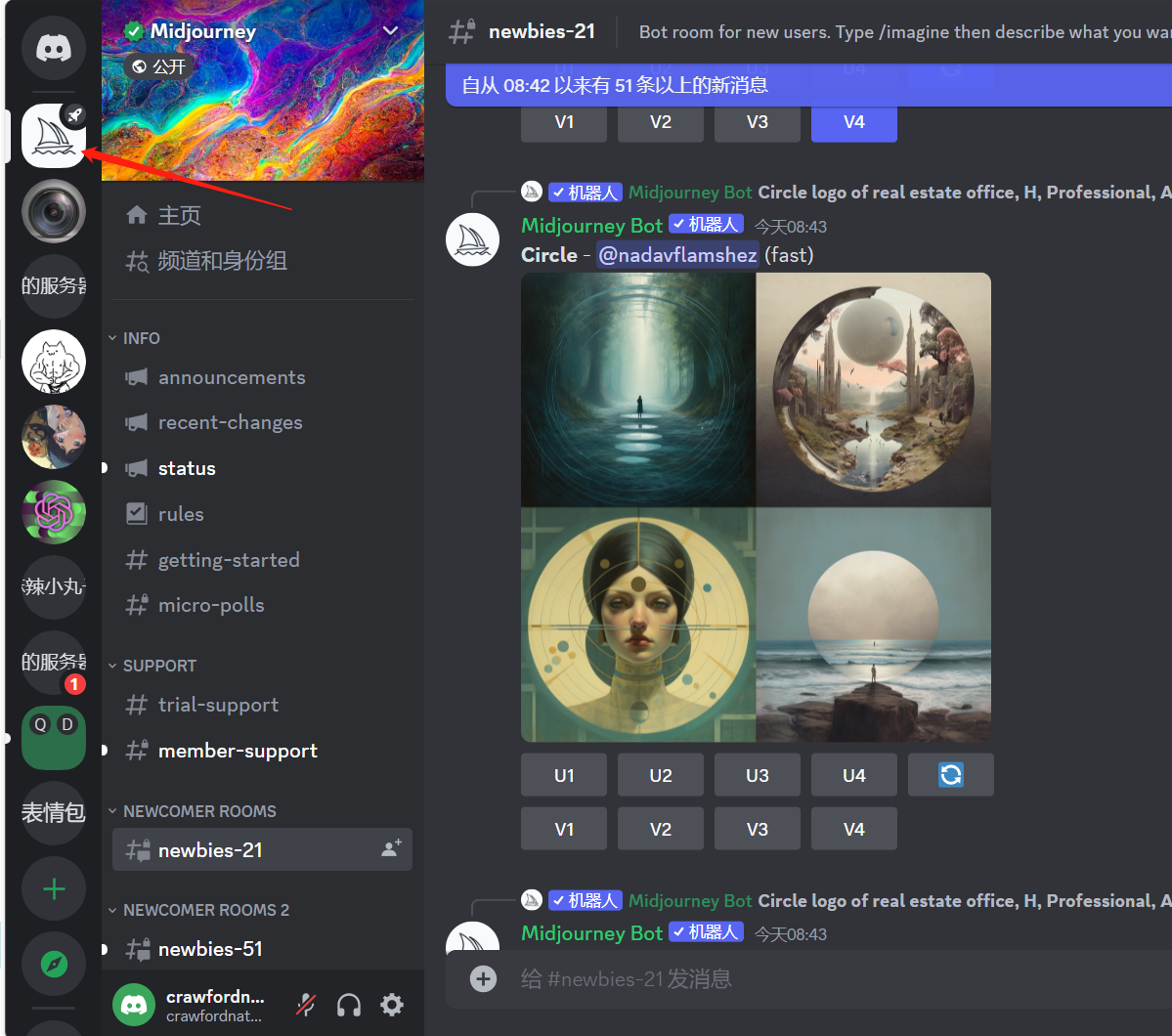
查找 #Newbies 或 #General 频道
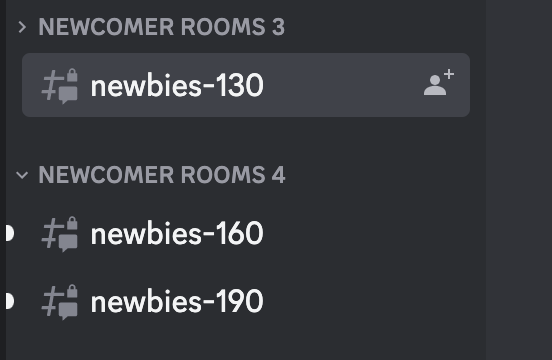
一旦你进入MidJourney服务器,请在侧面板上查找任何 #newbies 或 #general 频道。有不同的新手房间,你可以查看所有用户创建的艺术品,包括你自己的作品。
你可以选择这些频道之一并生成艺术作品。
快速生成
使用命令在Discord上与Midjourney Bot互动。命令用于创建图像、自定义设置、跟踪用户信息和执行其他有用的功能。
为了在Midjourney中创建图像,我们需要输入一个提示,然后是一个命令。
现在,让我们立即使用命令“/imagine prompt”来创建第一张图片。
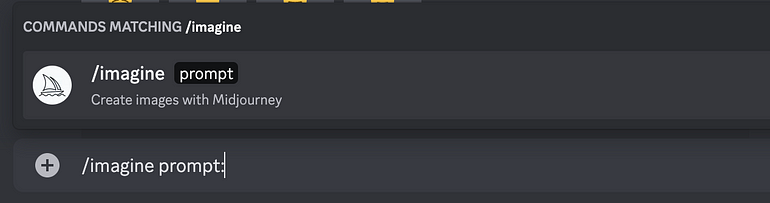

- 使用 /imagine 命令生成一张图片。
- 输入描述所需的图像,可以是一般性的描述或者更具体地添加风格和细节。
- 点击回车并等待结果。
/Imagine命令从短文本描述(称为描述词)生成唯一图像。 Prompt 是Midjourney Bot解释用来产生图像的简短文本短语。 Midjourney Bot将提示中的单词和短语分解成较小的片段,称为标记,可以与其训练数据进行比较,然后用于生成图像。
这里我们会看到别人的描述词,以及生成的图片。
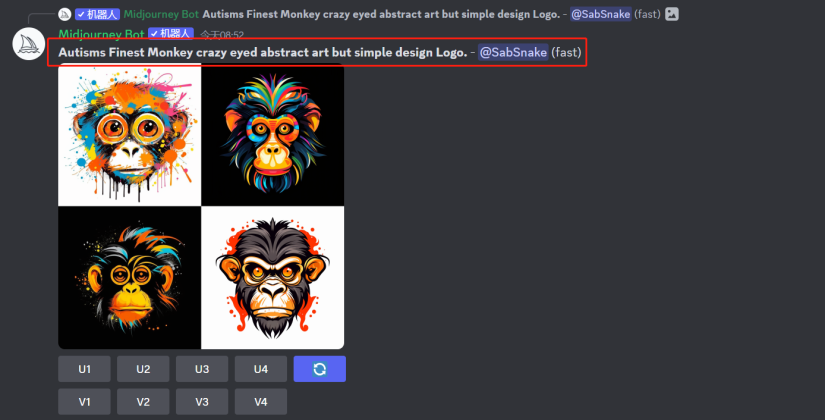
MidJourney 功能介绍
Example: /imagine prompt: Black steampunk dog riding a bike
示例:/imagine 提示:黑色蒸汽朋克狗骑自行车
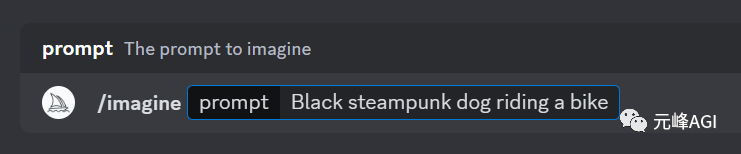
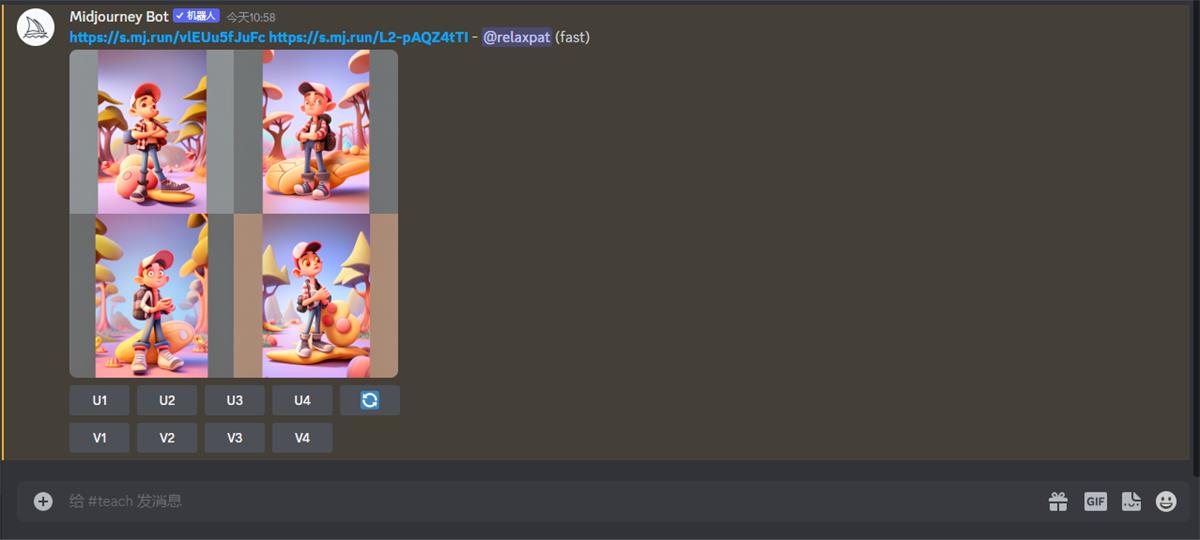
Midjourney Bot 将根据描述词会慢慢出 4 张图,大约 1 分钟左右出完:
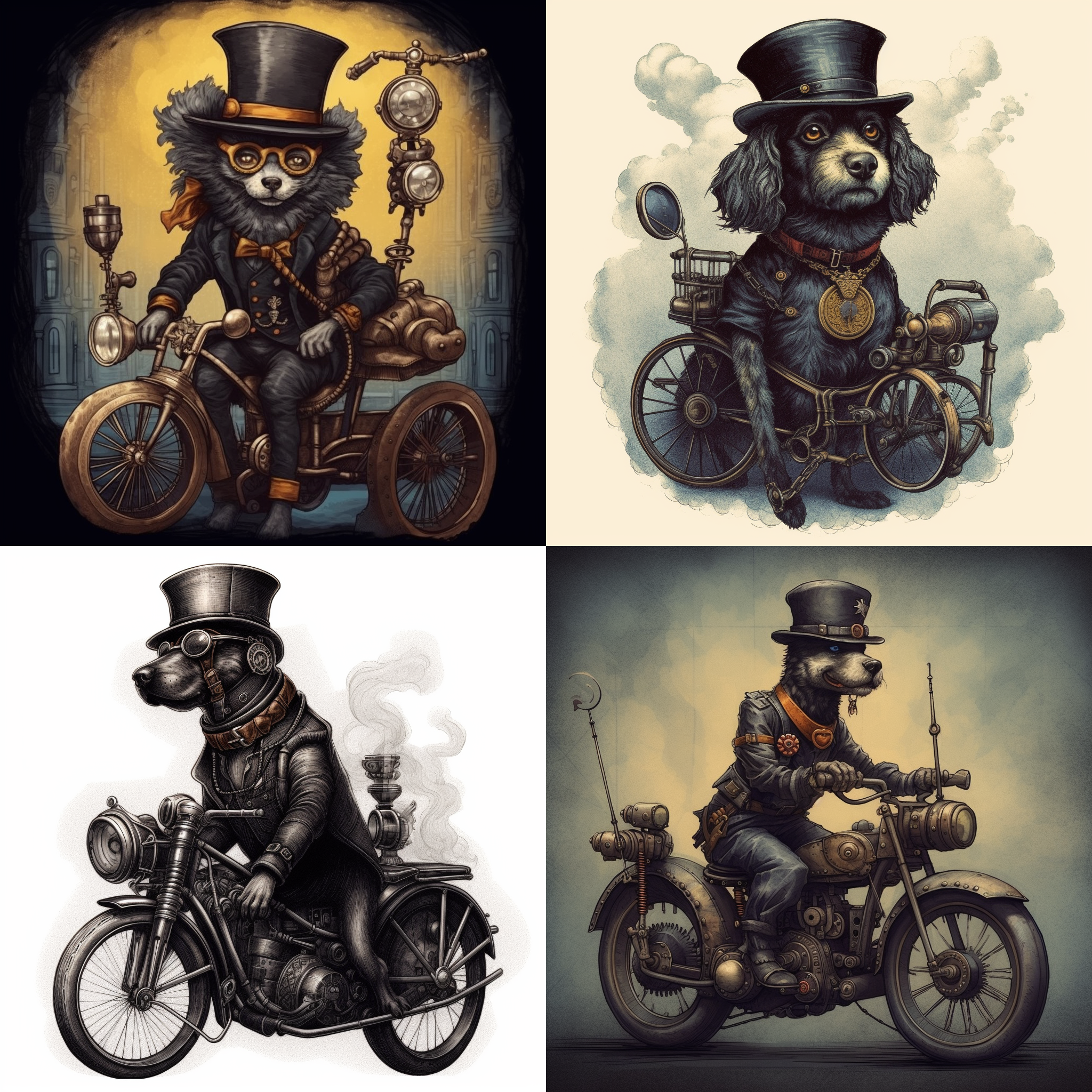
放大或创建变体
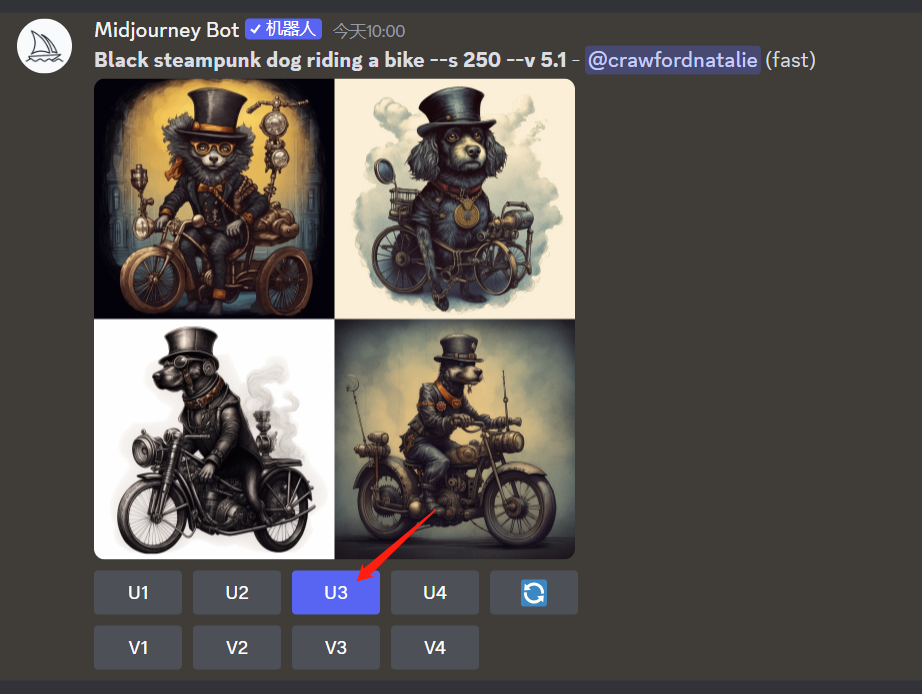
图像网格准备就绪后,两行按钮将变为可见状态,从而可以对图展开的更多控制。
这里,比如我们觉得第三张图更像我们想要的,点一下 U3 按钮 即可。它会在第三张图的基础上细化,出大图:
U 按钮:在对应图片的基础上细化,出一张大图
**V 按钮:**在对应图片的基础上再变化出 4 张新图
重新生成:重新运行描述词,将获得一组全新的图像网格
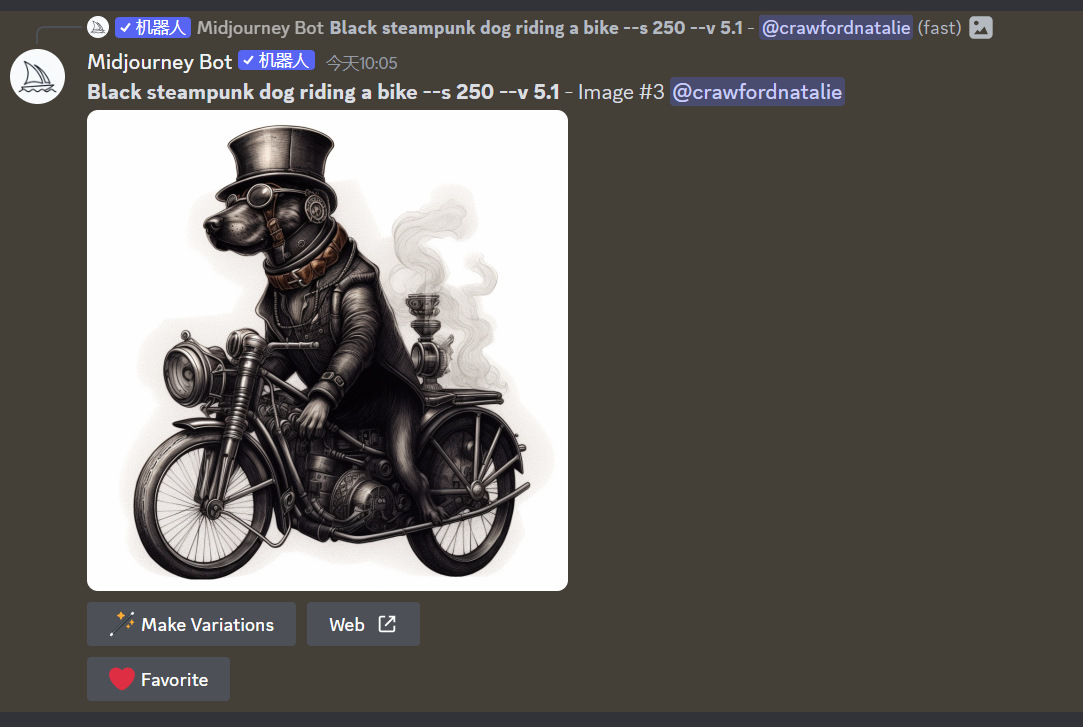
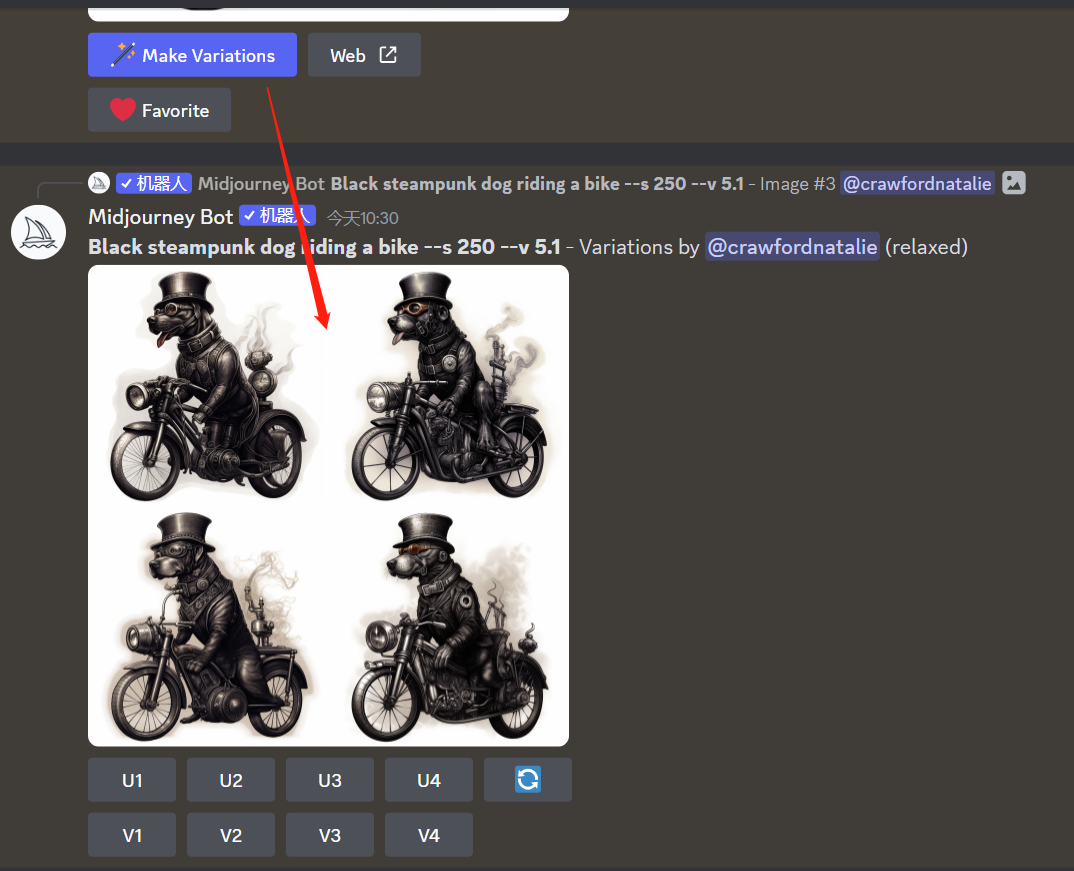
Make Variations: 创建放大图像的变体,并生成包含四个选项的新网格。
Web: 在图库中打开图片 Midjourney.com
Favorite 收藏夹:标记你最好的图像,以便在中途网站上轻松找到它们。
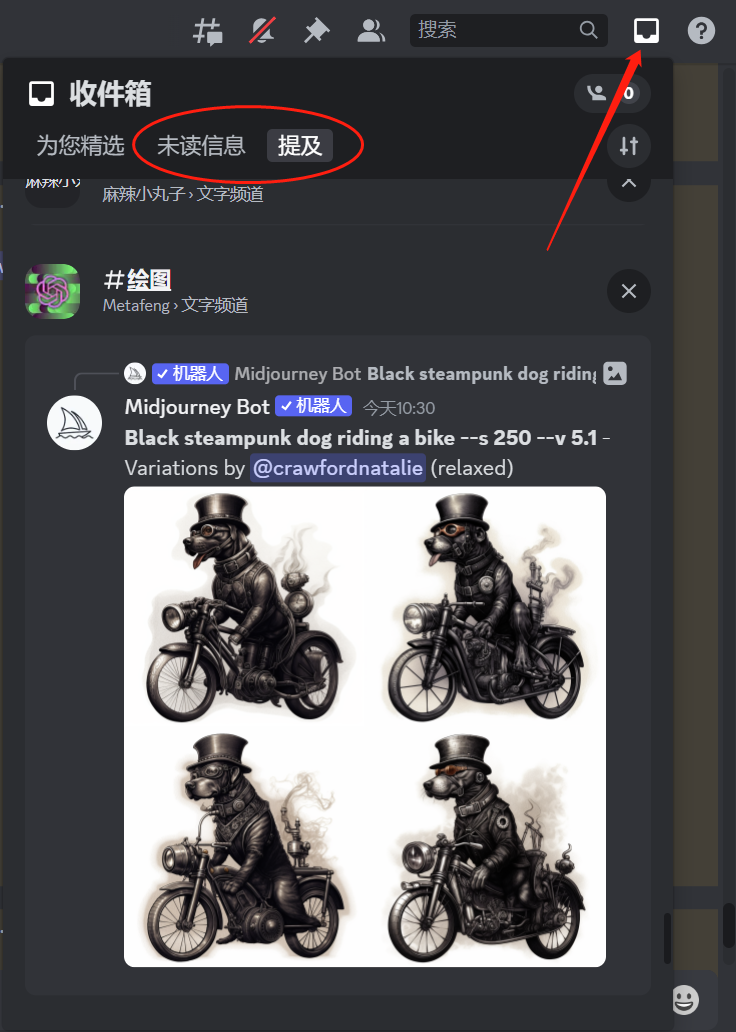
绘图的人很多,如何在茫茫图海中快速找到自己的图。
因为每次绘图完成 Midjourney Bot 都会通知我们。只需点击右上角此“收件箱”图标,在“提及”里面即可找到我们的出图记录。
保存图像
只需单击图像将其打开,然后右键单击即可保存。或者,如果你使用的是移动设备,请长按图像,你会在右上角看到一个下载图标。简单易行!
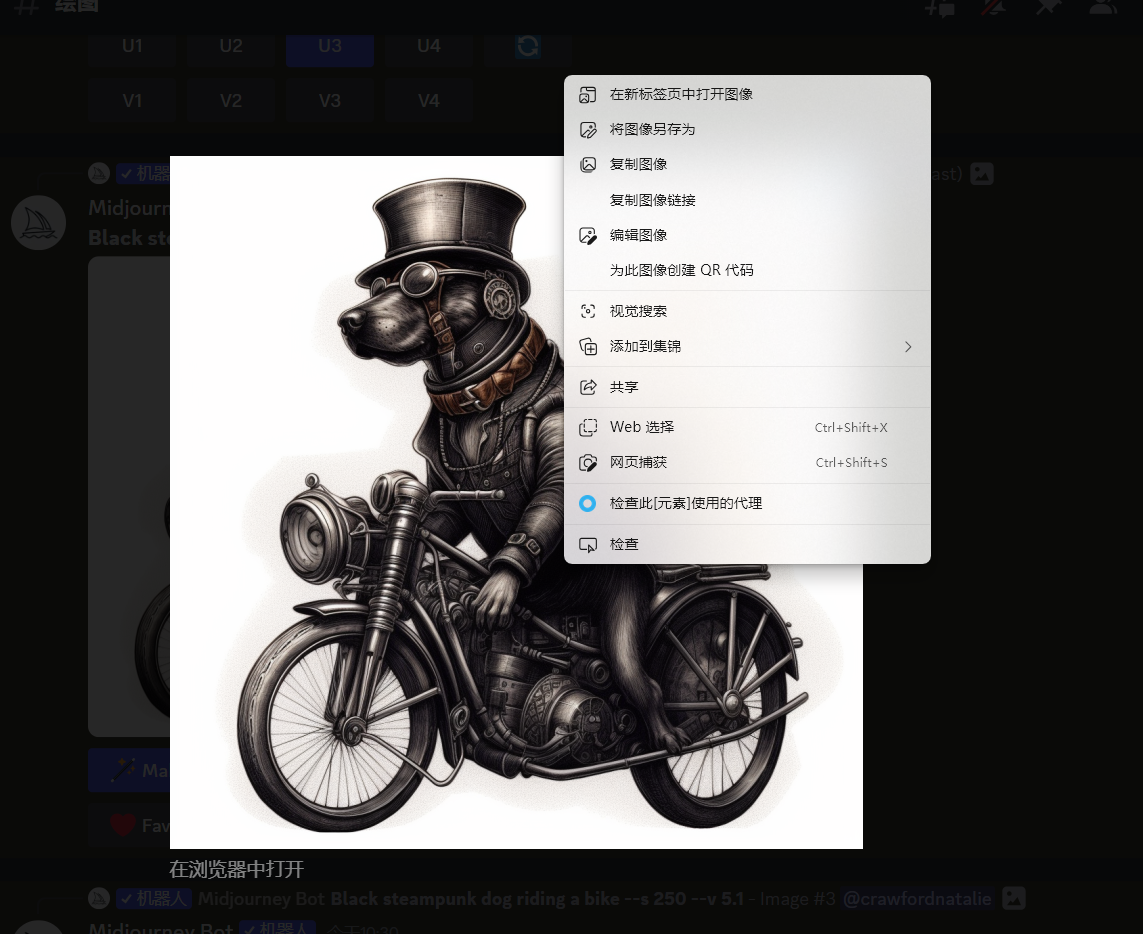
尺寸和分辨率
所有尺寸均为正方形 1:1 的长宽比。
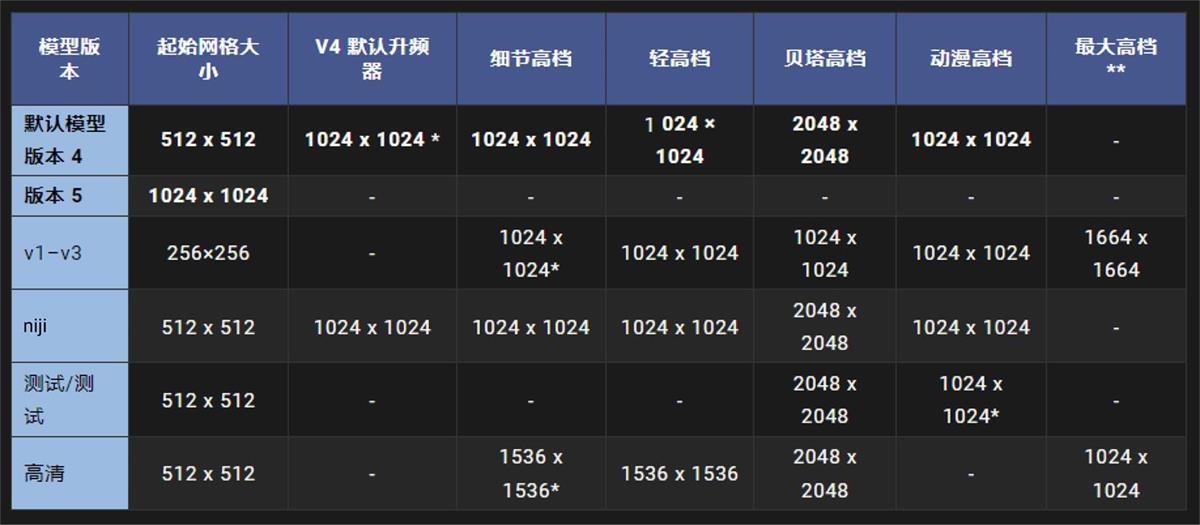
Discor 操作命令
1)基本命令概述
(这里只列出一些我们会用到的参数命令,其他的参数对我们学习 AI 绘画意义不大)
- /ask 获取问题的答案。你可以提一些问题让 midjourney 给你回答,类似 FAQ;
- /blend 融图,一共可以上传 6 张图片,发送给机器人会帮你把上传的图片融合一起生成新的一组图片;
- /docs 在官方的 Midjourney Discord 服务器中使用,可以快速生成本用户指南中涉及的主题链接;
- /fast 切换到快速模式,一般还有 Fast 使用时长不需要切换这个命令;
- /help 显示关于 Midjourney Bot 的有用基本信息和提示,帮助中心,字面意思;
- /imagine 使用提示生成一个图像,这个就是生图的命令,输入关键词发送;
- /info 查看关于你的账户和任何排队或运行中的工作的信息,可以查看账户的剩余作图时长等相关信息;
- /stealth 对于专业计划的用户(60 美金/月):切换到隐身模式。意思是你生成的图片不在社 区展示;
- /piblic 对于专业计划的用户(60 美金/月):切换到公共模式,字面意思;
- /subscribe 为用户的帐户页面生成个人链接;
- /settings 查看和调整 Midjourney Bot 的设置;
- /prefer option set 创建或管理一个自定义选项;
- /prefer option list 查看你当前的自定义选项;
- /prefer suffix 指定一个后缀,添加到每个提示的末尾;
- /show 使用图像作业 ID,在 Discord 内重新生成作业;
- /relax 切换到放松模式。这个模式比 Fast 慢,一般付费的同学用完 Fast 之后会自动切换到 Relax;
- /prefer remix 开启/关闭混音模式。
2)/imagine 关键词作图
输入“/”,选择“imagine”,然后会出现这种状态:

在 Prompt 后面输入英文关键词,格式上面说了,一组关键词+ , + 空格 +关键词:

点击发送等待出图就可以了,在上面演示了这个操作,还不清楚的再看一遍这个操作流程。
3)/blend 多张图片融图
输入“/”,选择“blend”,然后会出现这种状态:
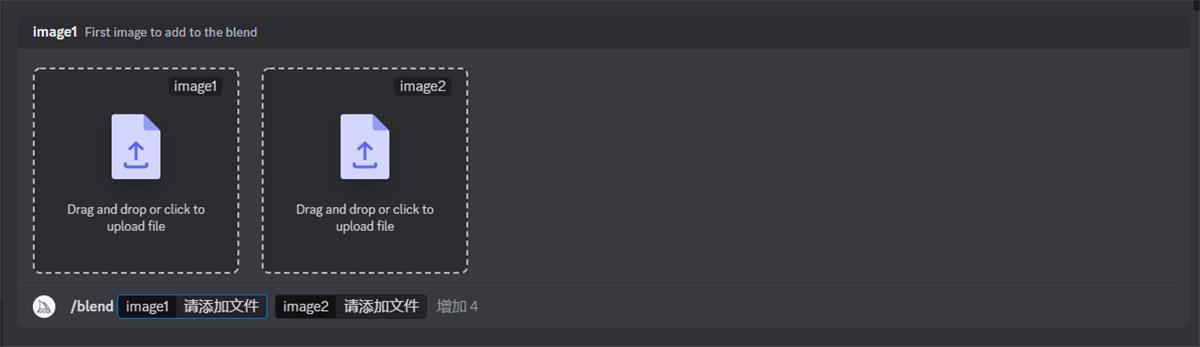
选择上传的图片,默认是上传两张,可以点击增加,一共是 6 张:
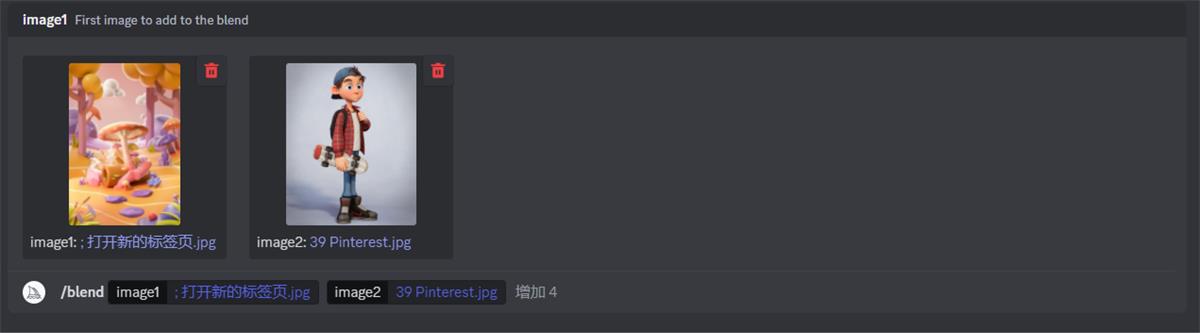
发送等待出图,然后大功告成:
4) /settings 调整机器人设置
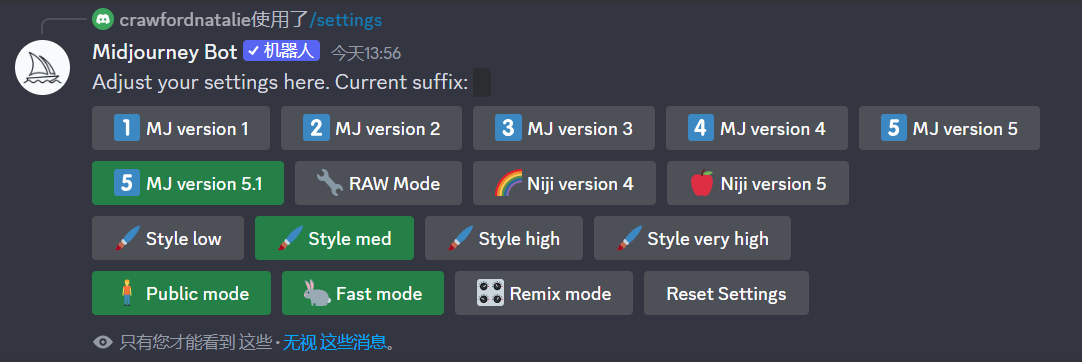
输入“/”,选择“settings”,直接发送,然后出现下列参数设置:
5) 版本设置
下面这些是选择绘图的模式,目前 V5 模式仅适用于订阅用户,点击选中:

大家一般用 V4 或者 V5 就好了,其他的可以尝试,Midjourney V5.1 模型是最新最先进的模型,该模型具有非常高的 Coherency,擅长解释自然语言提示,分辨率更高
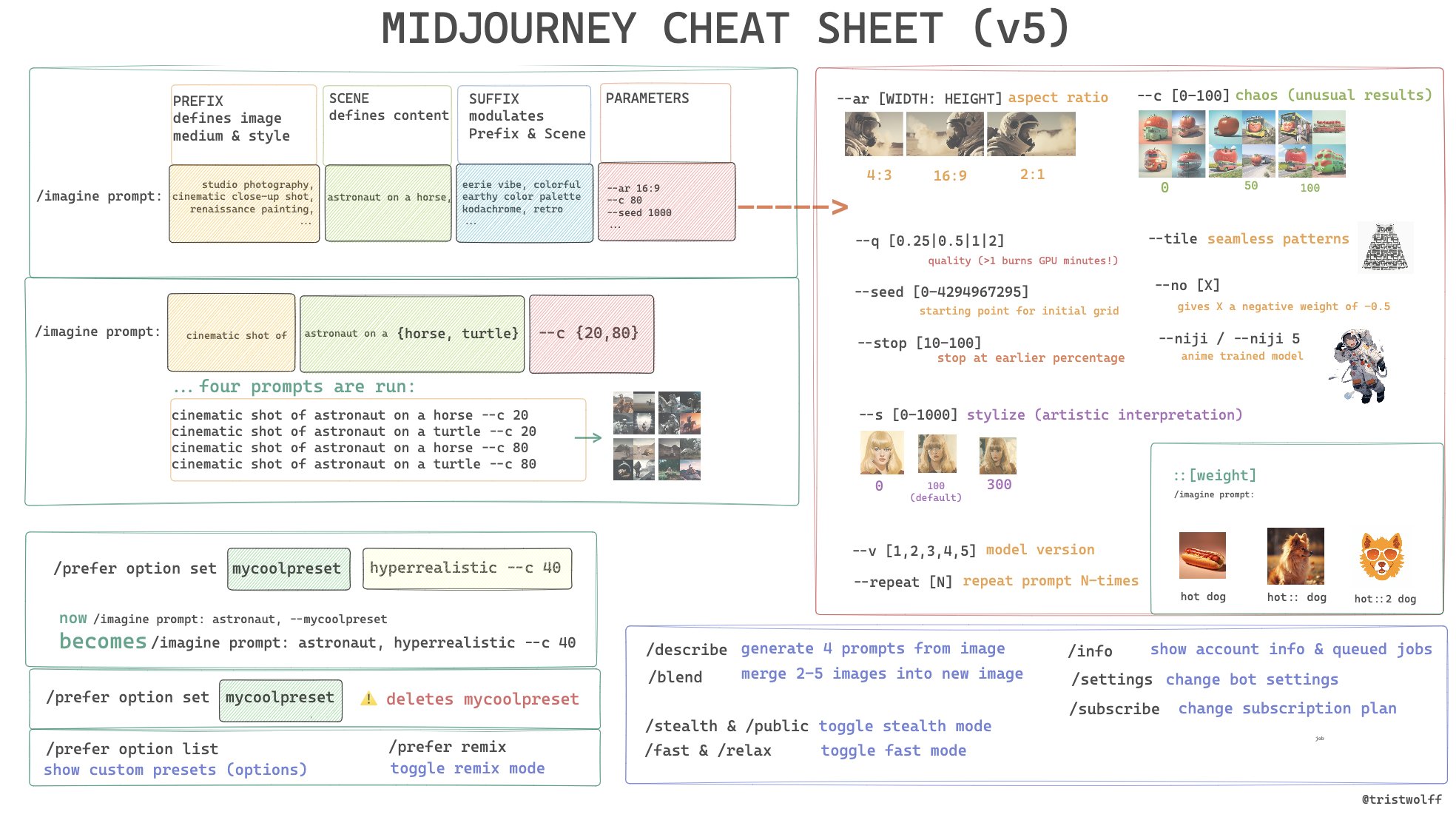
下面这个 Midjourney 快速指南,快速查找功能和指令 。它应该涵盖基本内容和一些高级参数。
如果您想使用 ChatGPT生成提示词,请使用下面的提示词:
Basic Prompt Anatomy:
/imagine prompt: [PREFIX] [SCENE] [SUFFIX] [Parameters]
PREFIX defines image medium & style
SCENE defines content
SUFFIX modulates Prefix & Scene
(in actual practice these categories overlap)
Permutation Prompt Example:
/imagine prompt: cinematic shot of astronaut on {horse, turtle} --c {20,80}
...gets translated into four prompts:
-> cinematic shot of astronaut on a horse --c 20
cinematic shot of astronaut on a turtle --c 20
cinematic shot of astronaut on a horse --c 80
cinematic shot of astronaut on a turtle --c 80
Parameters:
--ar [WIDTH:HEIGHT] (=aspect ratio)
--c [0-100] (=chaos, unusual results)
--q [.25|.5|1] (=quality/time spent generating the image, 1=default)
--seed [0-4294967295] (=starting point for initial grid)
--stop [10-100] (=stop at earlier percentage)
--s [0-1000] (=stylize, artistic interpretation)
--tile (=seamless patterns)
--iw [W] (=sets image weight to W)
--no [X] (=gives X a negative weight of -0.5)
--niji / --niji 5 (anime trained model)
--v [1,2,3,4] (=model versiom)
--repeat [N] (=repeat prompt N-times)
Weights:
/imagine prompt: hot dog
hot:: dog
hot::2 dog
Option Commands:
/prefer option set [NAME OF OPTION] [VALUE]
... e.g:
-> /prefer option set mycoolpreset dadaism --c 80
...now
/imagine prompt: an astronaut, --mycoolpreset
...becomes
/imagine prompt: an astronaut, dadaism --c 80
/prefer option set mycoolpreset
...deletes mycoolpreset!
/prefer option list
... shows presets
/prefer option remix
... toggles remix mode
/prefer suffix
... suffix to add to the end of every prompt
/prefer auto_dm
... automatically send DM when jobs complete
More Commands:
/describe
/blend
/stealth & /public (=toggle stealth mode)
/fast & /relax (=toggle fast mode)
/info (=show account info & queued jobs)
/settings (=change bot settings)
/subscribe (=change subscription plan)
中文翻译
基本提示结构:
/imagine prompt: [PREFIX] [SCENE] [SUFFIX] [Parameters]
PREFIX 定义图像媒介和风格
SCENE 定义内容
SUFFIX 调节 Prefix 和 Scene
(在实际使用中,这些类别有所重叠)
排列提示示例:
/imagine prompt: cinematic shot of astronaut on {horse, turtle} --c {20,80}
...被转化为四个提示:
-> cinematic shot of astronaut on a horse --c 20
cinematic shot of astronaut on a turtle --c 20
cinematic shot of astronaut on a horse --c 80
cinematic shot of astronaut on a turtle --c 80
参数:
--ar [WIDTH:HEIGHT] (=宽高比)
--c [0-100] (=混沌,非常规结果)
--q [.25|.5|1] (=质量/生成时间,1=默认)
--seed [0-4294967295] (=初始 seed 的起点)
--stop [10-100] (=提前停止百分比)
--s [0-1000] (=风格化,艺术解释)
--tile (=无缝图案)
--iw [W] (=设置图像权重为 W)
--no [X] (=给 X 负权重-0.5)
--niji / --niji 5 (=动漫训练模型)
--v [1,2,3,4] (=模型版本)
--repeat [N] (=重复提示 N 次)
权重:
/imagine prompt: hot dog
hot:: dog
hot::2 dog
选项命令:
/prefer option set [NAME OF OPTION] [VALUE]
... 例如:
-> /prefer option set mycoolpreset dadaism --c 80
...现在
/imagine prompt: an astronaut, --mycoolpreset
...变成
/imagine prompt: an astronaut, dadaism --c 80
/prefer option set mycoolpreset
...删除 mycoolpreset!
/prefer option list
... 显示预设
/prefer option remix
... 切换混合模式
/prefer suffix
... 在每个提示的结尾添加后缀
/prefer auto_dm
... 作业完成时自动发送 DM
更多命令:
/describe 生成4个图片提示。
/blend 合并2-5张图像为新图像。
/stealth & /public (=切换隐身模式)
/fast & /relax (=切换快速模式)
/info (=显示账户信息和排队任务)
/settings (=更改机器人设置)
/subscribe (=更改订阅计划)
用 ChatGPT 创建一个简单的模板提示
Create image captions, use this template:
/imagine prompt: [PREFIX], [SCENE], [SUFFIX] --ar 16:9
[PREFIX] describes the medium and technique that have been used to create the image, e.g. "cinematic shot", "renaissance painting", etc.
[SCENE] is a detailed description of the content of the image, i.e. what is depicted
[SUFFIX] modulates the Prefix and the Scene, e.g. "vibrant colors", "sad atmosphere"
Generate 10 captions like this
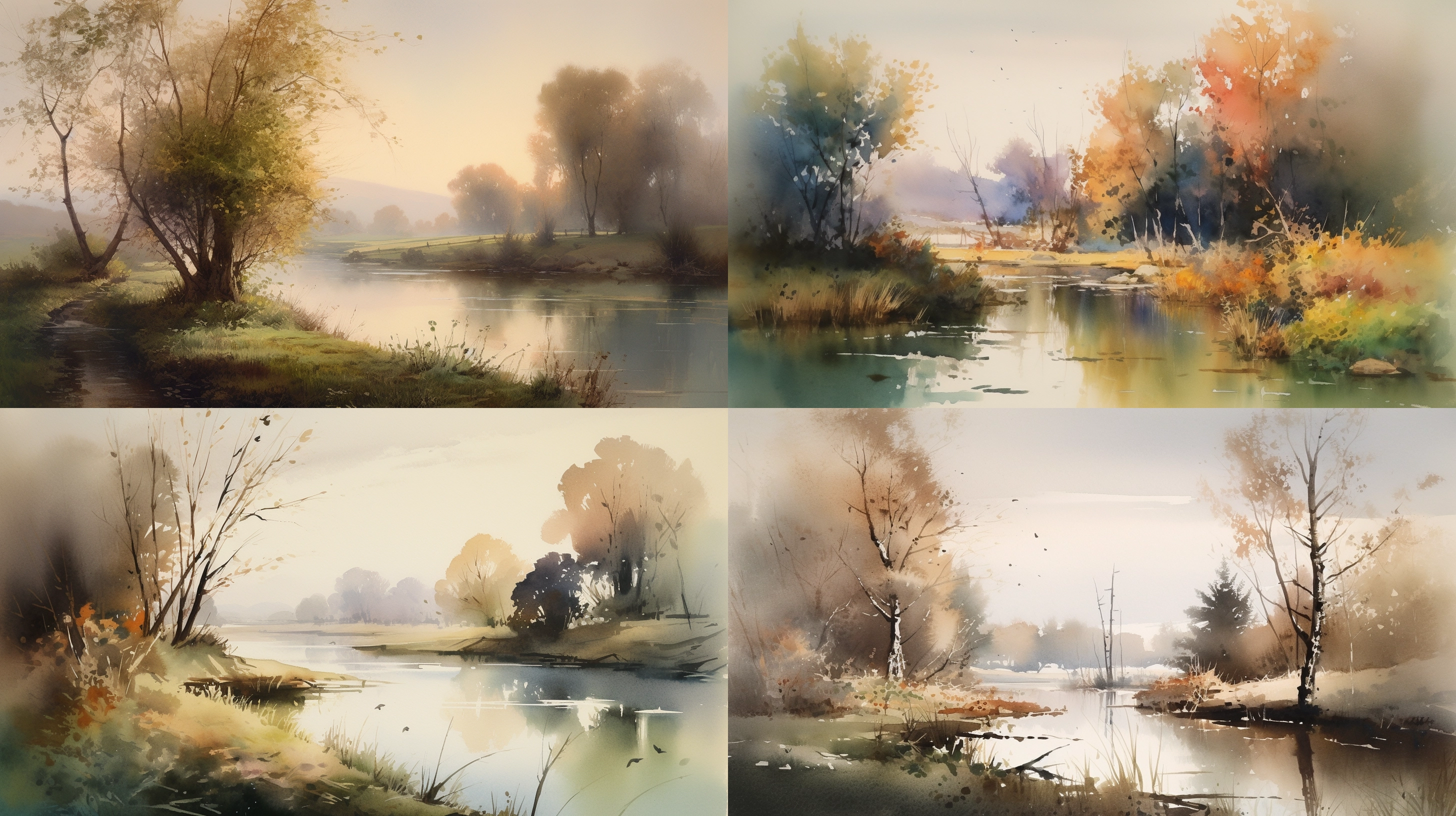
前2个提示的效果
[PAINTED WITH WATERCOLORS], a peaceful countryside landscape with a small lake and trees [IN THE MORNING LIGHT] --ar 16:9 --v 5
[DIGITAL ART], a cyberpunk cityscape with neon lights and skyscrapers [IN THE RAINY NIGHT] --ar 16:9 --v 5
MidJourney V5 描述词举例
MidJourney 是一款非常棒的 AI 文本到图像生成器,以其生成真正高质量图像的能力而闻名。
下面一起欣赏一些大作!
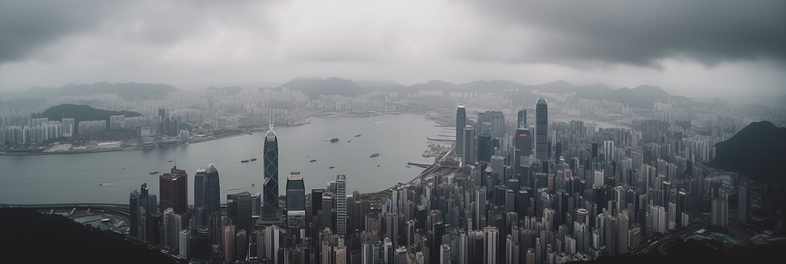
Prompt Used:
A beautiful drone shot of the Hong Kong Skyline, cloudy winter day, overcast -- ar 3:1 -- v 5
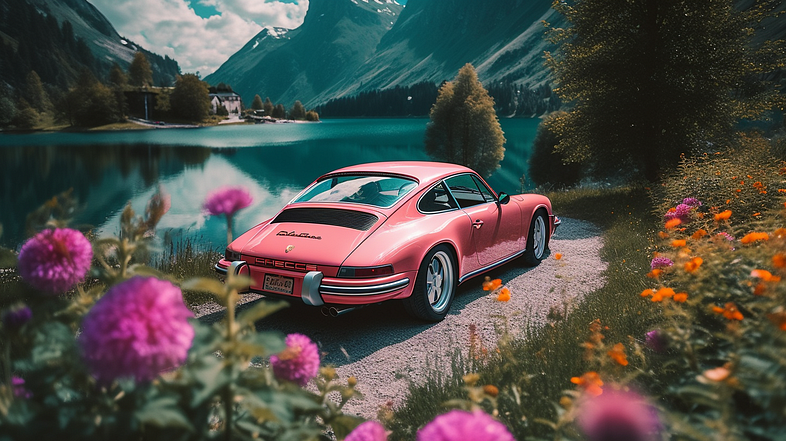
Prompt Used:
Pink Porsche 911 at Lake Seealpsee in Switzerland, surrounded by plants and colorful flowers, Fujifilm Velvia 50, depth of field, highly detailed, highly contrast, 4k -- ar 16:9 -- v 5
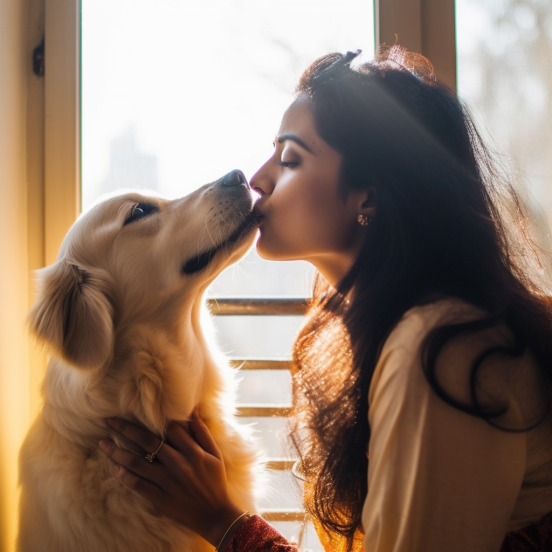
Prompt Used:
Close up photography of a Indian woman kissing her Golden Retriever in front of a big glass window, soft natural morning sun through the window shining on her -- v 5
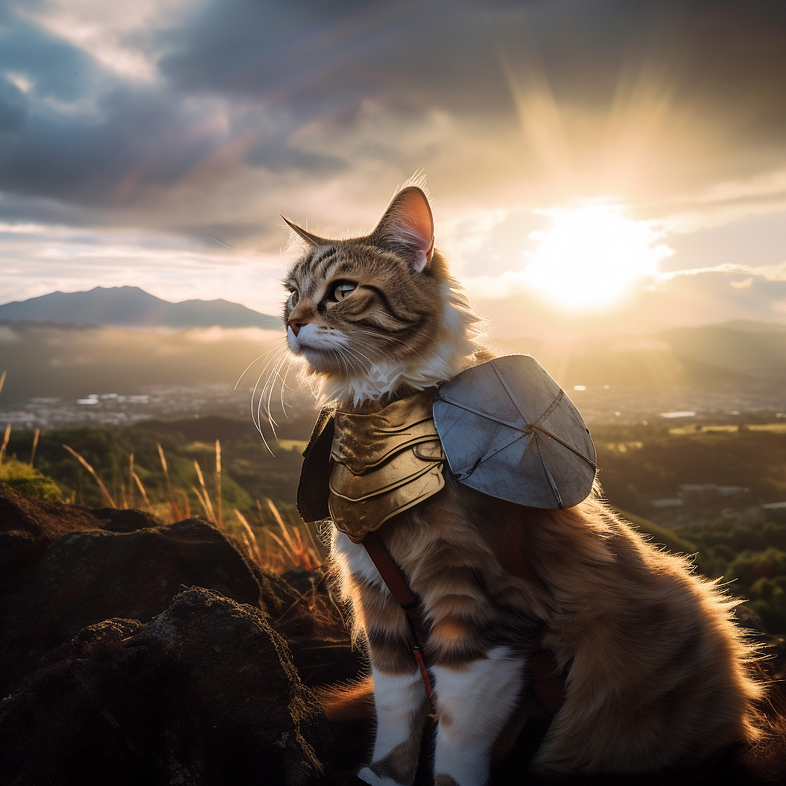
Prompt Used:
A tabby cat dressing up as a warrior, movie scene, wide angle, on top of mountain, fuji film photography, sunset lighting -- v 5
Prompt Used:
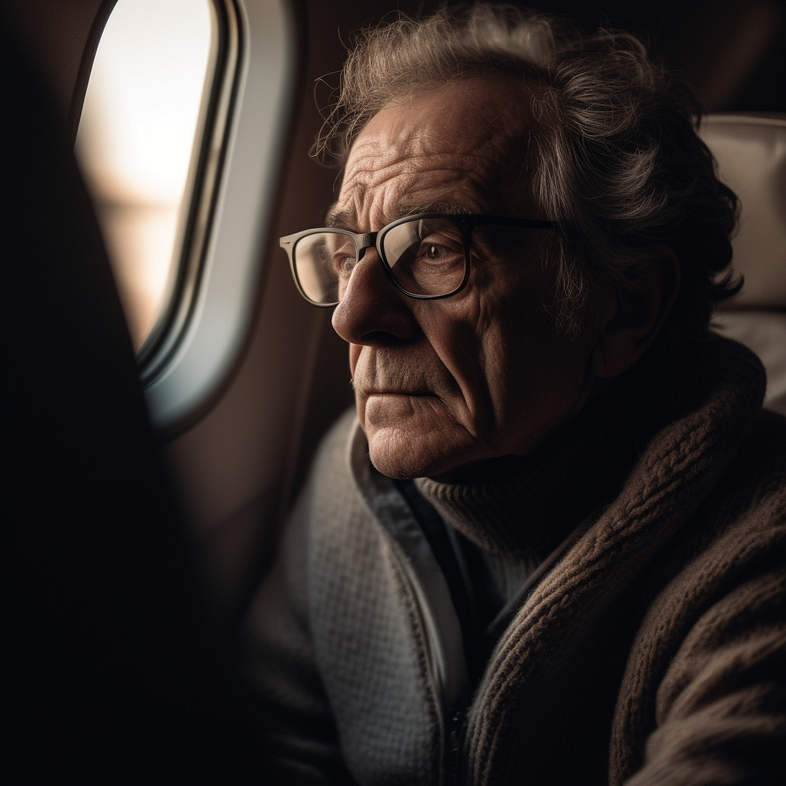
An old French man in deep thought, looking out the window inside a busy plane cabin, wearing grey wool zip-up, sunrise -- v 5
Prompt Used:
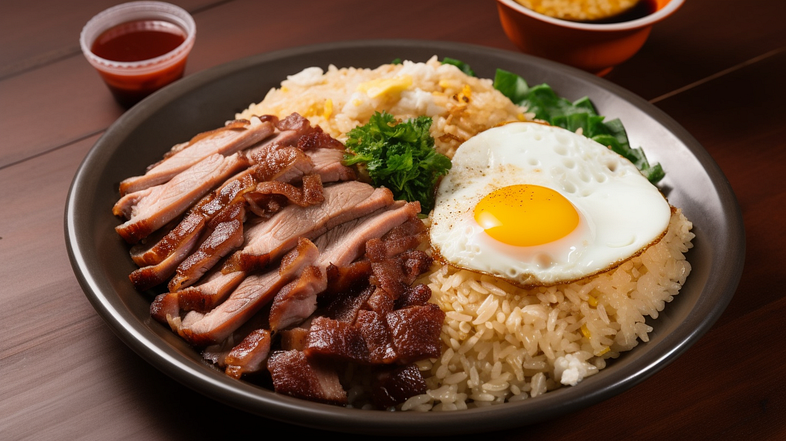
Overhead food photography, bbq pork with over easy egg rice, Hong Kong restaurant -- ar 16:9 -- v 5
Prompt Used:
Street style fashion photo, full-body shot of a Portuguese man with black hair and full beard, walking with a crowd of people on a sidewalk in Dubai while holding his leather laptop case, wearing a royal blue Dolce & Gabbana blazer and white button up, sunset lighting -- ar 9:16 -- stylize 1000 -- v 5

Prompt Used:
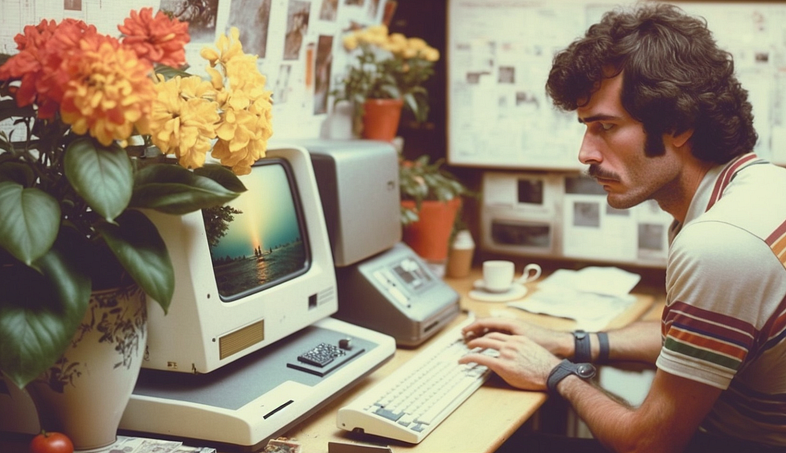
1980s era, polaroid photo of a young man sitting at desk working at home, mechanical keyboard, Apple computer, flower in vase on the desk, wide shot, side view, natural afternoon lighting, 4k -- ar 16:9 -- v 5
Prompt Used:
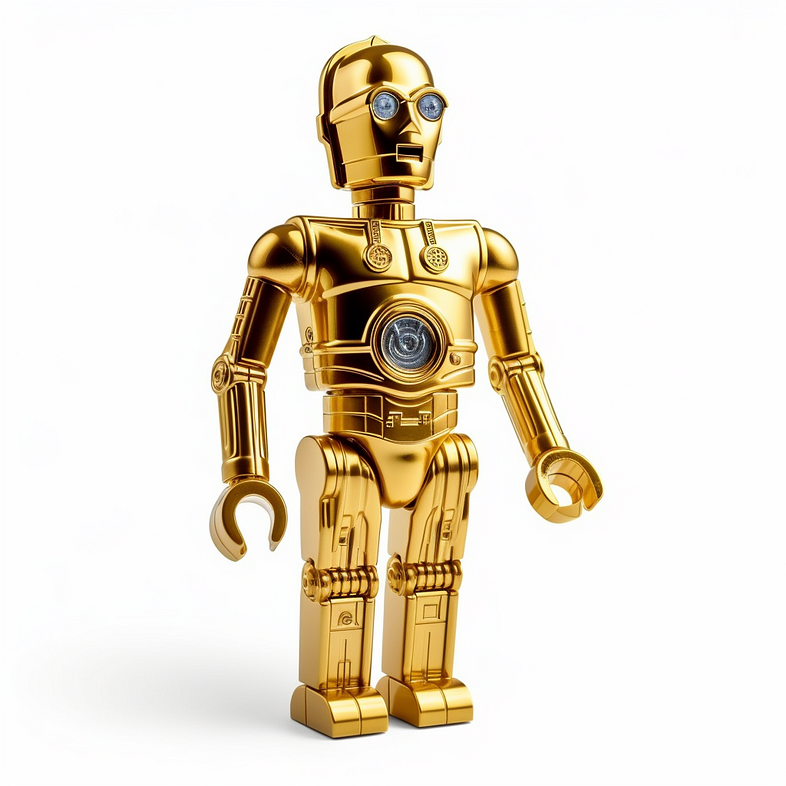
Lego of C-3PO in Star Wars on isolated white background
Prompt Used:
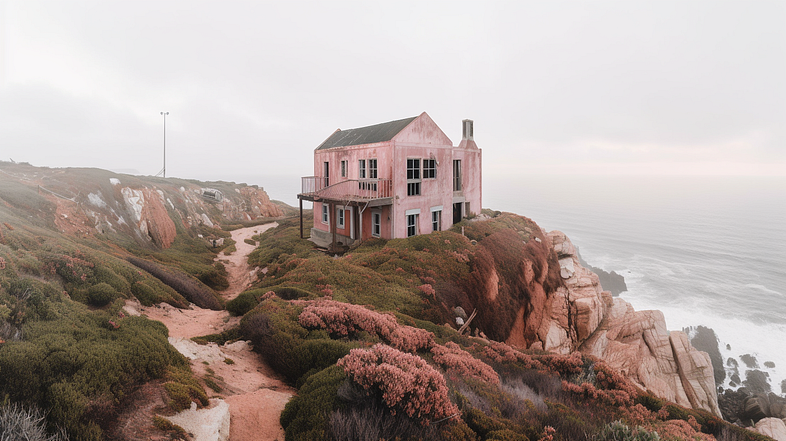
An editorial photo from Dwell magazine of an abandoned 2 stories pink house taken over by nature on a cliff that overlooks Cabo da Roca in Portugal, gloomy day -- ar 16:9 -- v 5
Prompt Used:
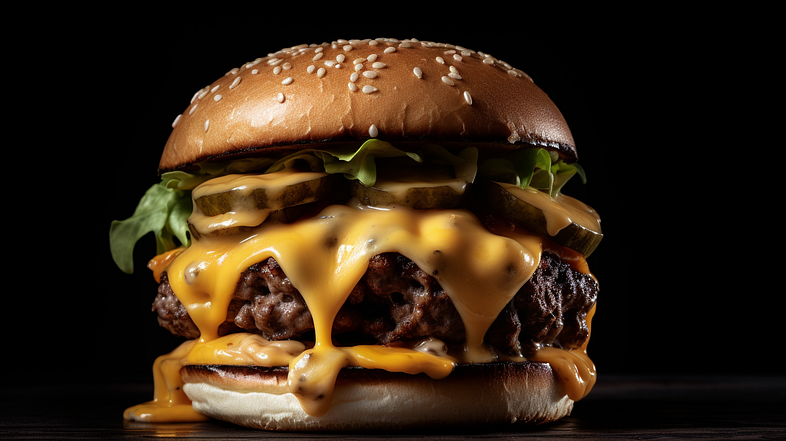
Close up food photography of a cheeseburger with thick beef patty, oozing cheese, luxurious michelin kitchen style -- ar 16:9 -- v 5
Prompt Used:
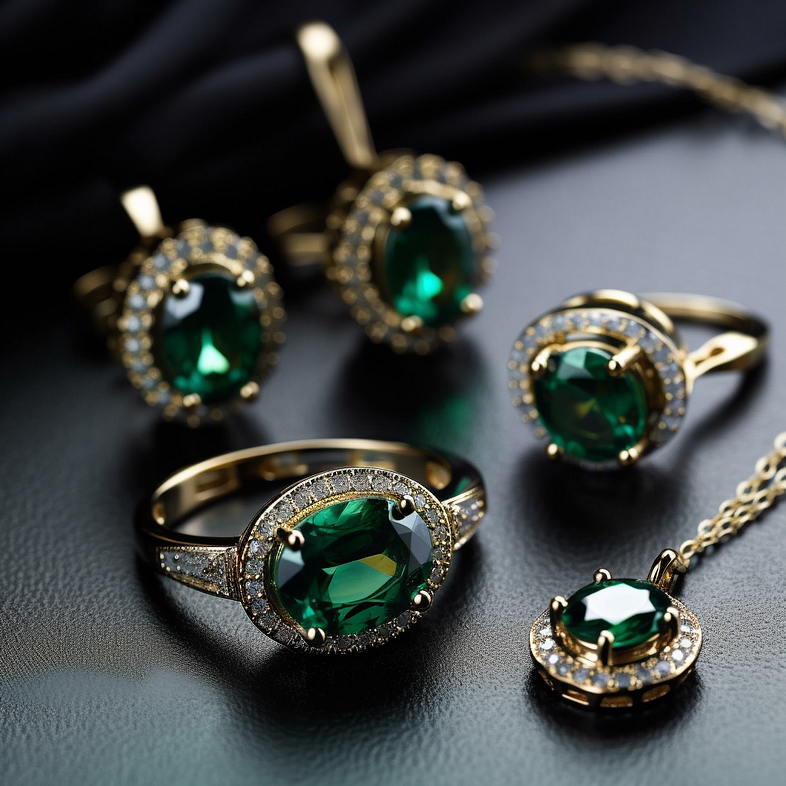
A set of emerald jewelry with gold band, product catalog photo, -- stylize 1000 -- v 5
Prompt Used:
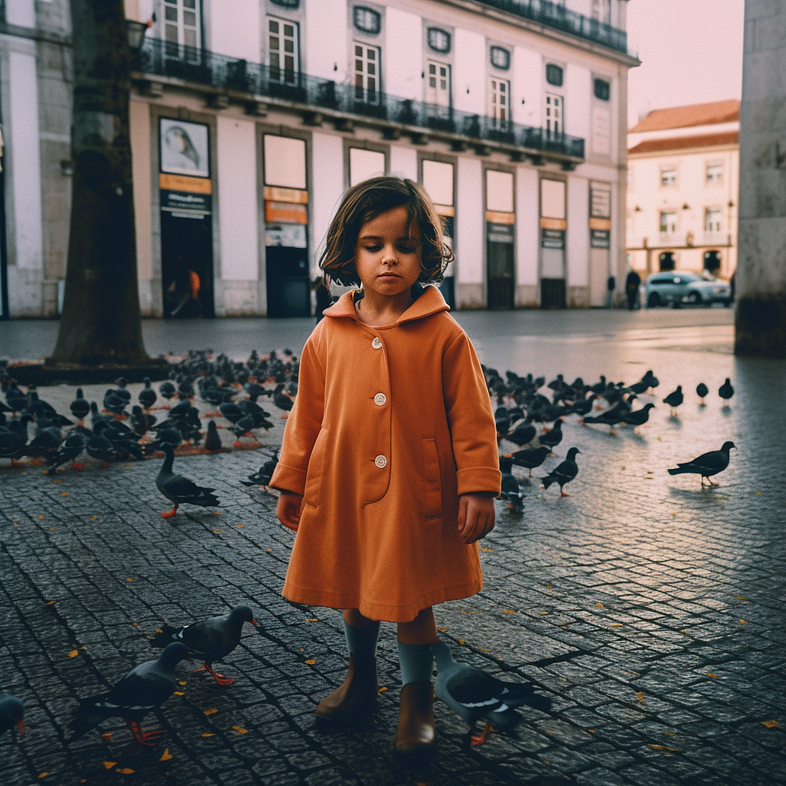
Street style photography of a little girl standing alone holding a flower on the street of downtown Lisbon, no one on the street, lots of pigeons around, movie scene, Lomography Redscale XR 50–200, high contrast, 4k, -- v 5
Prompt Used:
Close up photography of the back of a fern plant, imperfect leaves, afternoon light shining through the leaves -- v 5
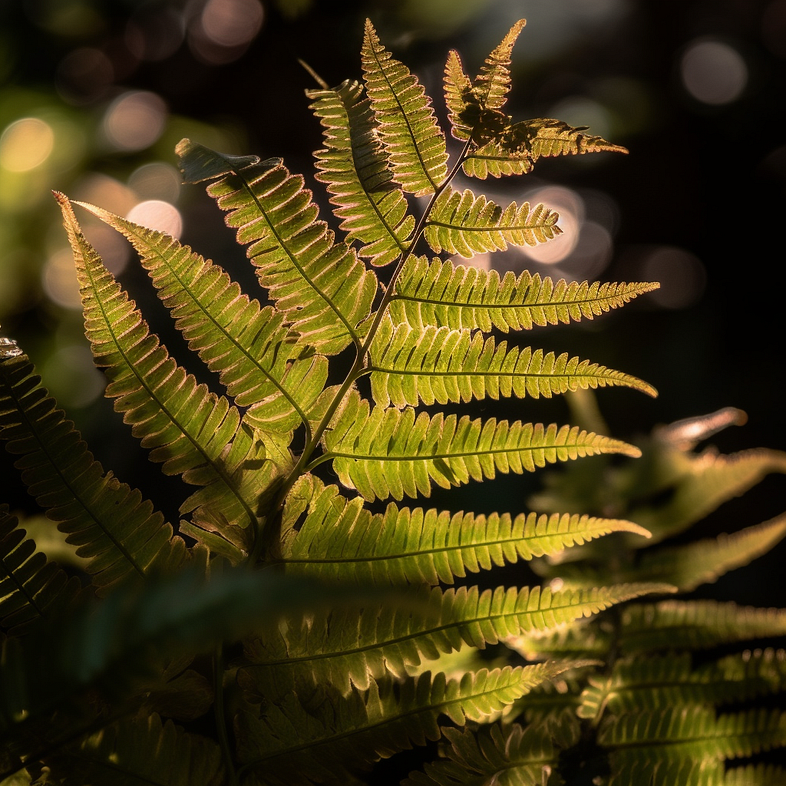
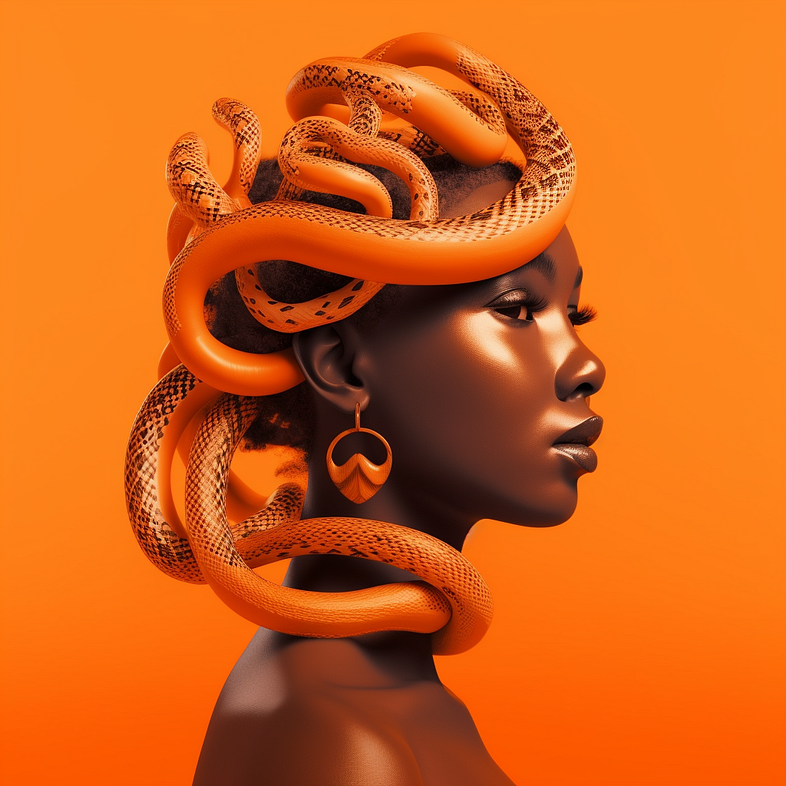
Prompt Used:
A black girl with a black pattern snake coiled from neck to head, shiny skin, orange monochrome, 50s style, futuristic, hyper realistic -- v 5
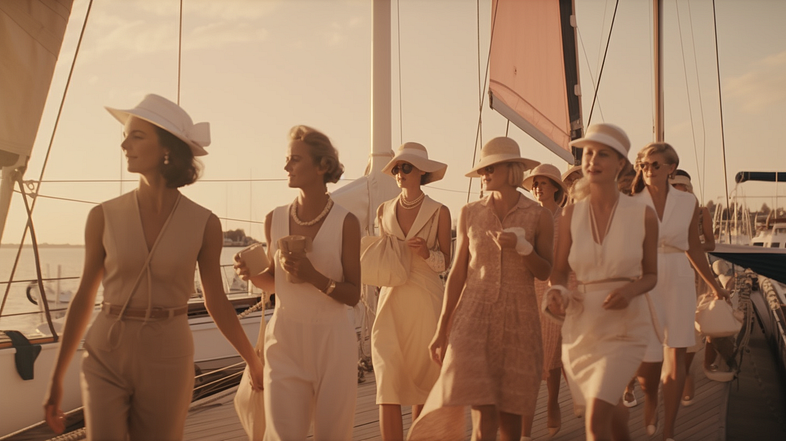
Prompt Used:
1960s street style photo of a crowd of young women standing on a sailboat, silk and linen dresses, pearl necklaces, sunset over the ocean, Agfa Vista 200, hyper realistic -- ar 16:9 -- v 5
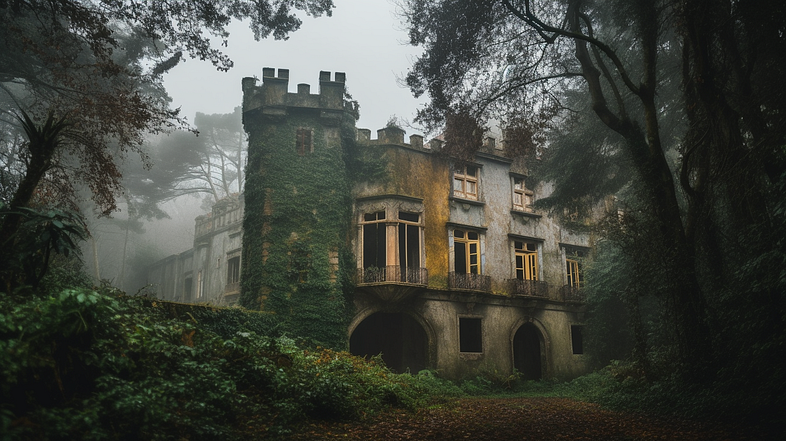
Prompt Used:
An editorial photo from Dwell magazine of an abandoned mid century haunted castle in a forest in Sintra, Portugal, dark and gloomy day -- ar 16:9 -- v 5
Prompt Used:
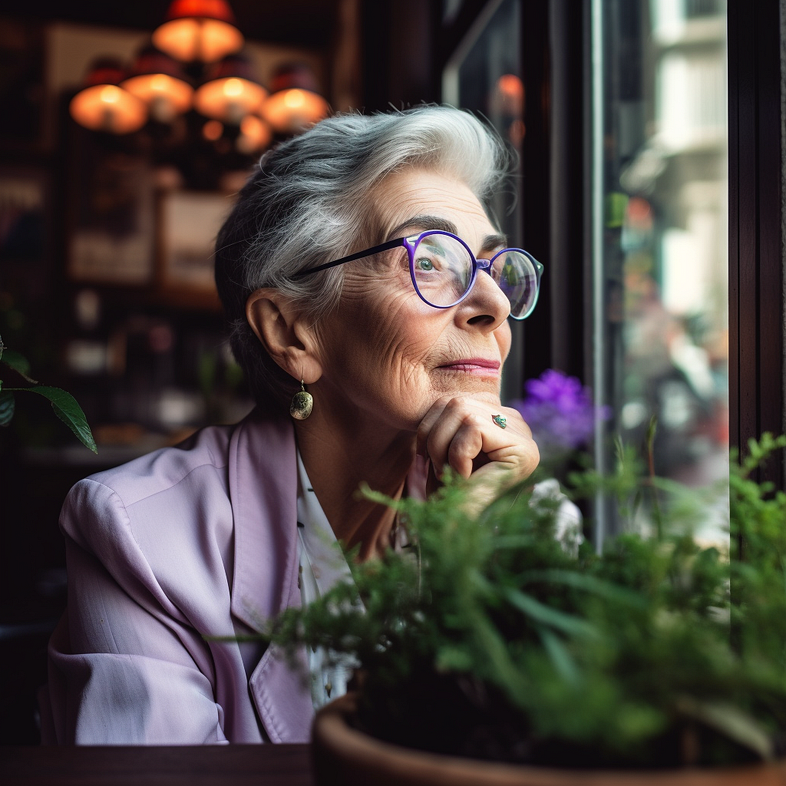
An elderly Italian woman with deep wrinkles, sitting in a local cafe filled with plants and wood decorations, looking out the window, wearing a white top with light purple linen blazer, natural afternoon light shining through the window and reflecting off her eyeglasses -- v 5
付费订阅
但是,Midjourney 给予普通用户 25 分钟的免费作图时间目前已停用,现在使用 Midjourney 是需要付费订阅,提供三种不同的订阅等级供你选择。通过任何订阅,你都可以访问会员库、Discord 服务器、商业使用条款等。
使用 /subscribe 命令生成指向订阅页面的个人链接或转到: https://www.midjourney.com/account/
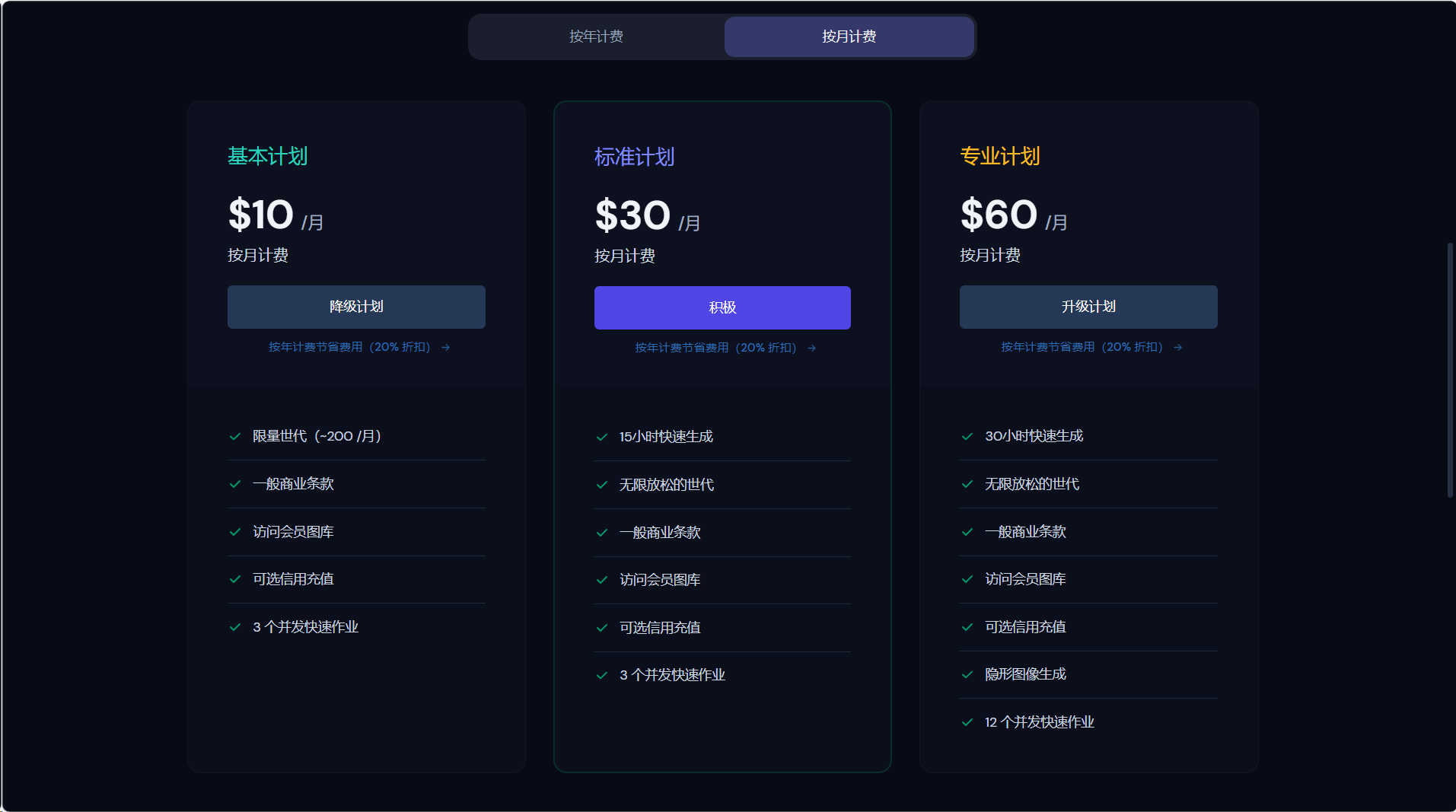
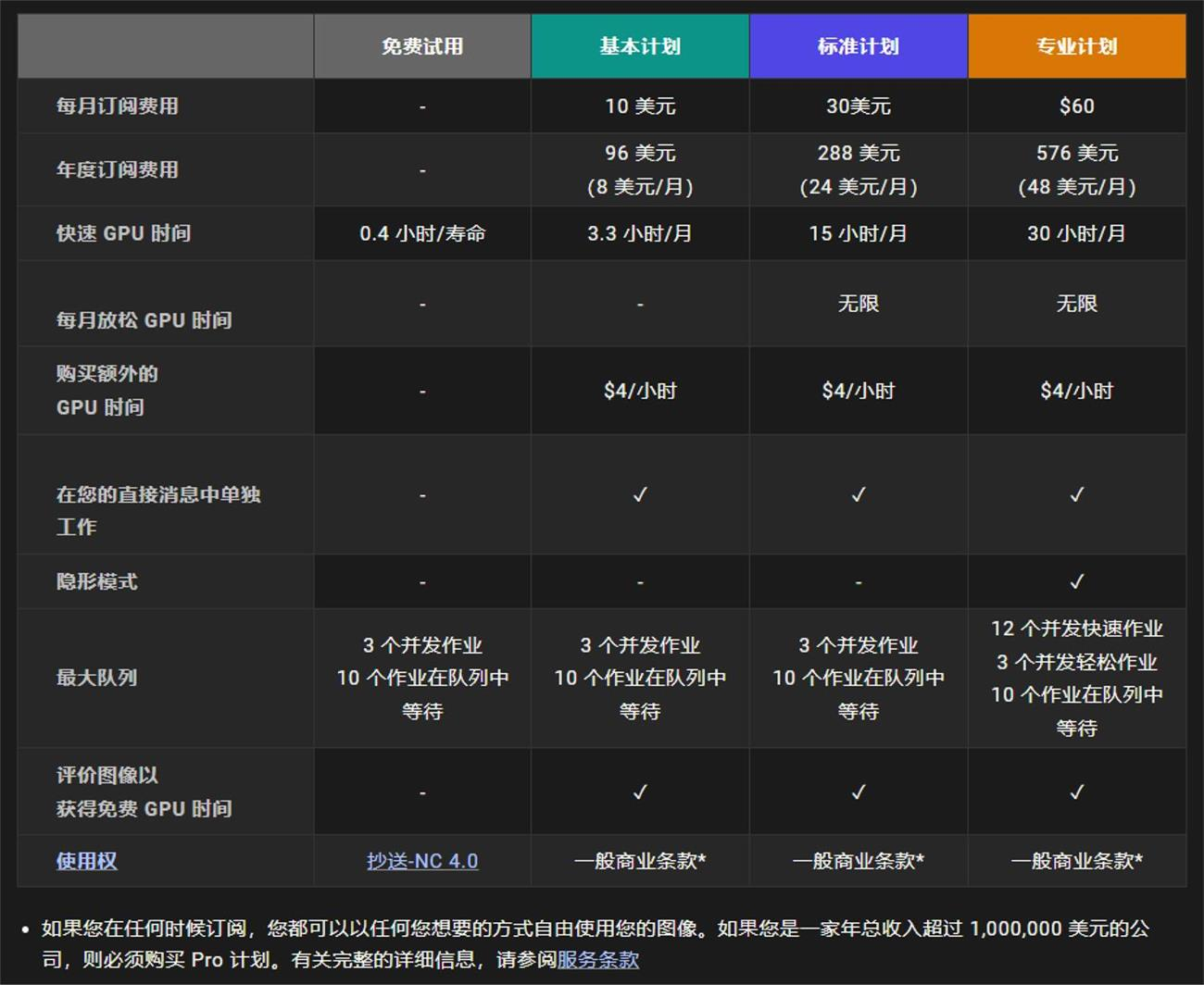
10 美金:每月可以生成 200 张图片,适合轻度使用者。 30 美金:每月生成的图片无限制,每月 15 小时的 fast 使用时长。 60 美金:每月生成的图片无限制,每月 30 小时的 fast 使用时长。
希望这对于刚开始使用 MidJourney 的人有所帮助。愿你们玩得开心,享受 AI 绘图的乐趣。